Cline is a VS Code extension that brings AI coding assistance directly into your editor. Configure it to use CometAPI as a custom OpenAI-compatible provider.

Prerequisites

  • Cline installed in VS Code
  • A CometAPI account with an active API key

Setup

1

Install Cline in VS Code

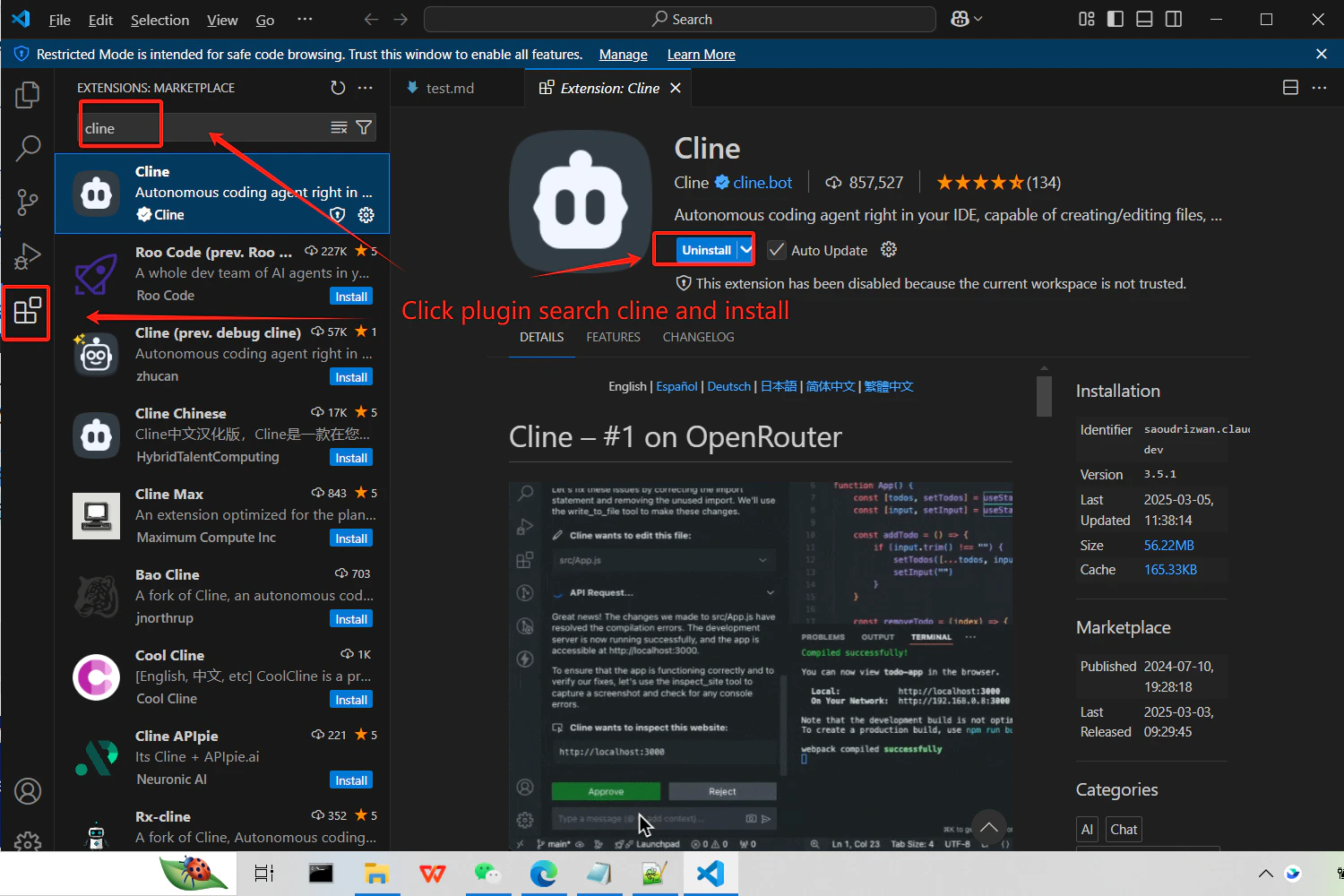
Search for Cline in the VS Code Extensions panel and install it.
VS Code Extensions panel showing the Cline extension
2

Get your CometAPI API key

Log in to the CometAPI dashboard. Click Add API Key and copy your key and base URL (https://api.cometapi.com).

CometAPI dashboard — Add API Key
CometAPI API key and base URL
3

Configure the API provider

Open Cline settings and select OpenAI Compatible as the provider. Enter https://api.cometapi.com/v1 in the Base URL field, paste your key into API Key, and enter the model name you want to use.
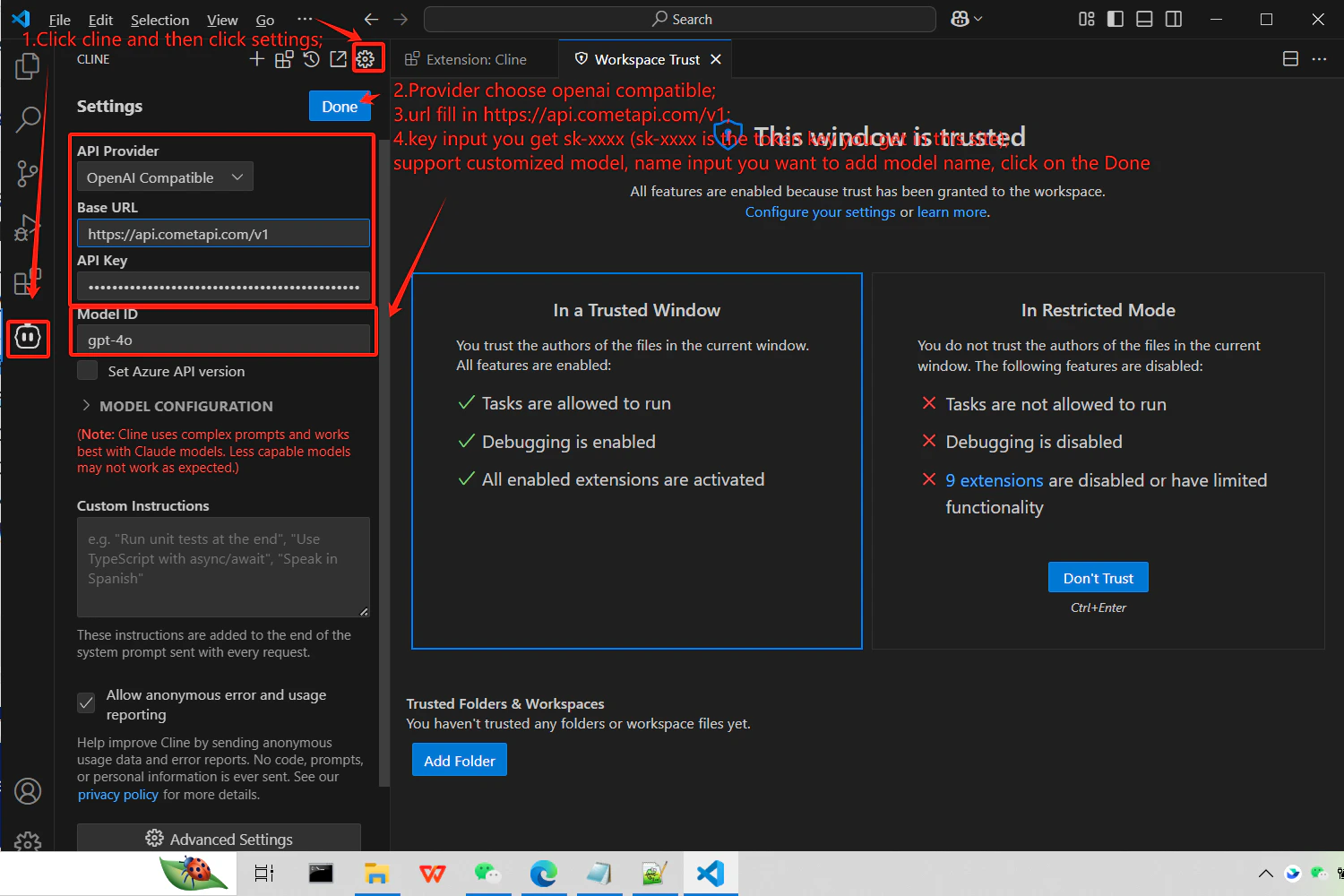
Cline settings with OpenAI Compatible selected and CometAPI base URL entered
4

Test the connection

Send a test prompt in Cline (e.g., ask it to generate a hello world function). A successful response confirms the integration is working.
