OpenManus is an open-source agentic AI framework. Connect it to CometAPI by editing the config.toml file.

Prerequisites

Setup

1

Get your CometAPI API key

Log in to the CometAPI dashboard. Click Add API Key and copy your key and base URL (https://api.cometapi.com).

CometAPI dashboard — Add API Key
CometAPI API key and base URL
2

Create and edit config.toml

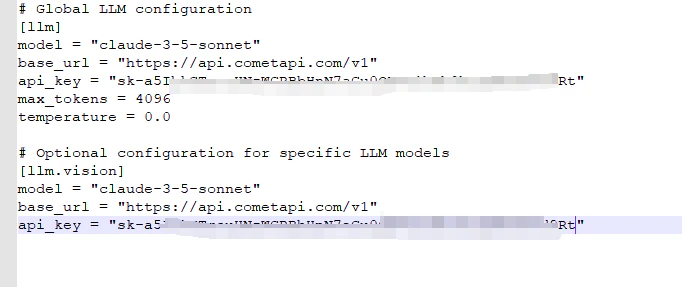
In the config/ directory, copy the example config file to config.toml. Set base_url to https://api.cometapi.com/v1 and paste your CometAPI key as api_key.
OpenManus config.toml — base_url and api_key fields
3

Test the connection

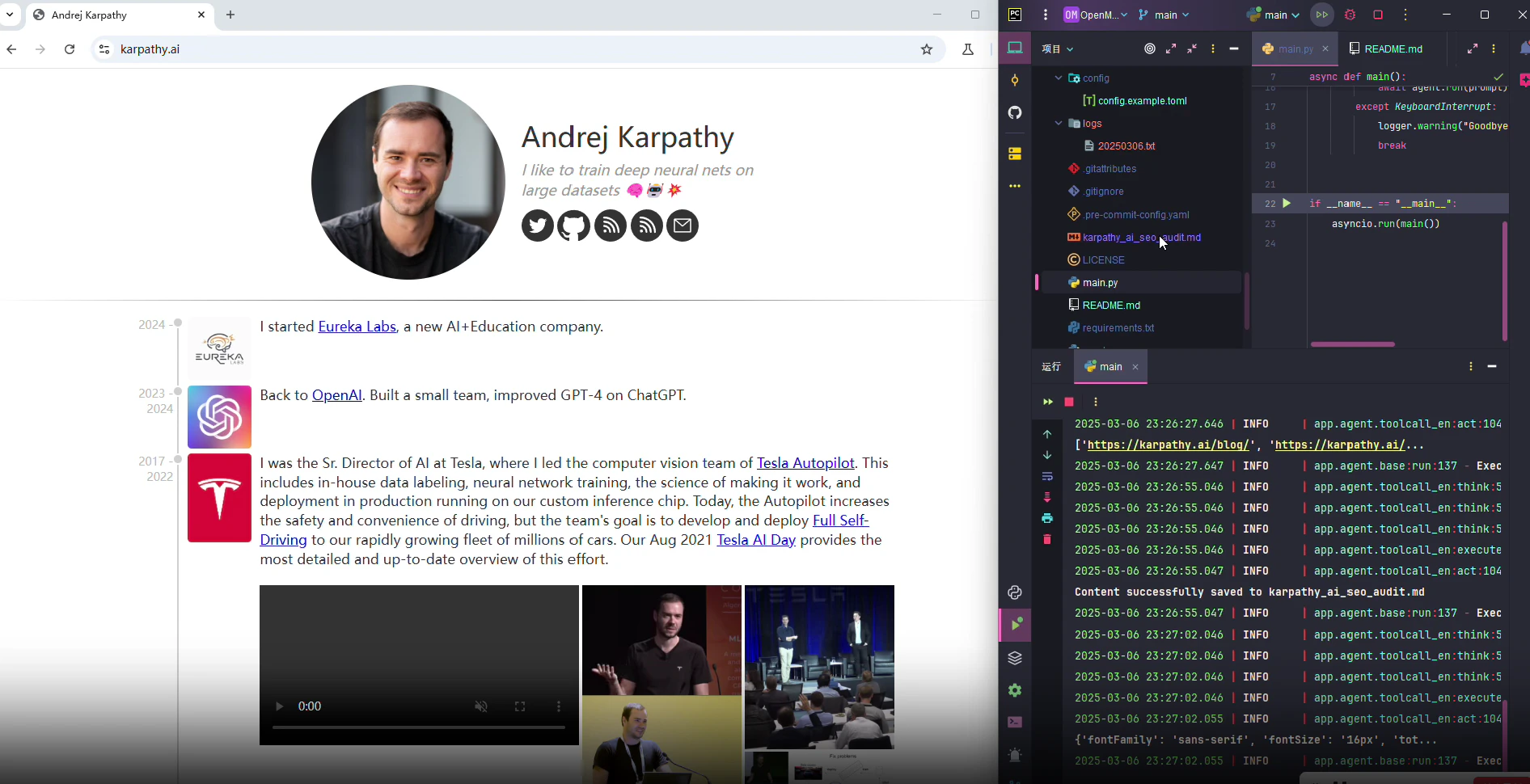
Run OpenManus with a test task. A successful response confirms the setup is working.
OpenManus terminal showing a successful response from CometAPI