

Prerequisites
-
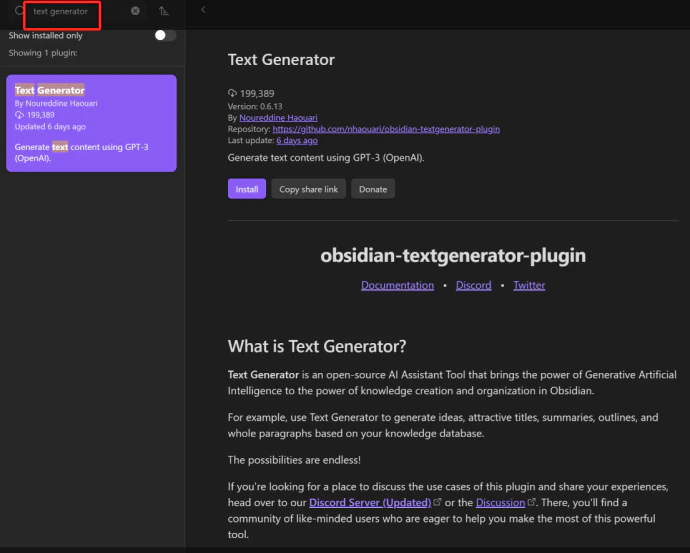
Obsidian with the Text Generator plugin installed — search for it in Settings → Community Plugins
- A CometAPI account with an active API key
Setup
Get your CometAPI API key
Log in to the CometAPI dashboard. Click Add API Key and copy your key and base URL (

https://api.cometapi.com).Configure the API connection
Open the Text Generator plugin settings. Select OpenAI Chat as the AI provider, enter 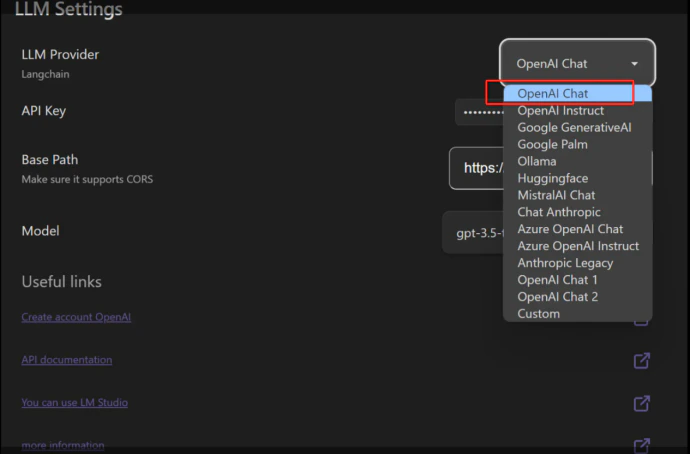
https://api.cometapi.com/v1 in the API Address field, and paste your CometAPI key into the Key field. Select a model and click Save.