Chatbox is a cross-platform desktop client for AI models. Connect it to CometAPI using the OpenAI-compatible API settings.

Prerequisites

Setup

1

Get your CometAPI API key

Log in to the CometAPI dashboard. Click Add API Key and copy your key and base URL (https://api.cometapi.com).

CometAPI dashboard — Add API Key
CometAPI API key and base URL
2

Configure the API provider

Open Chatbox SettingsModel. Select OpenAI API as the provider, enter https://api.cometapi.com in the API Domain field, paste your key into API Key, and click Save.
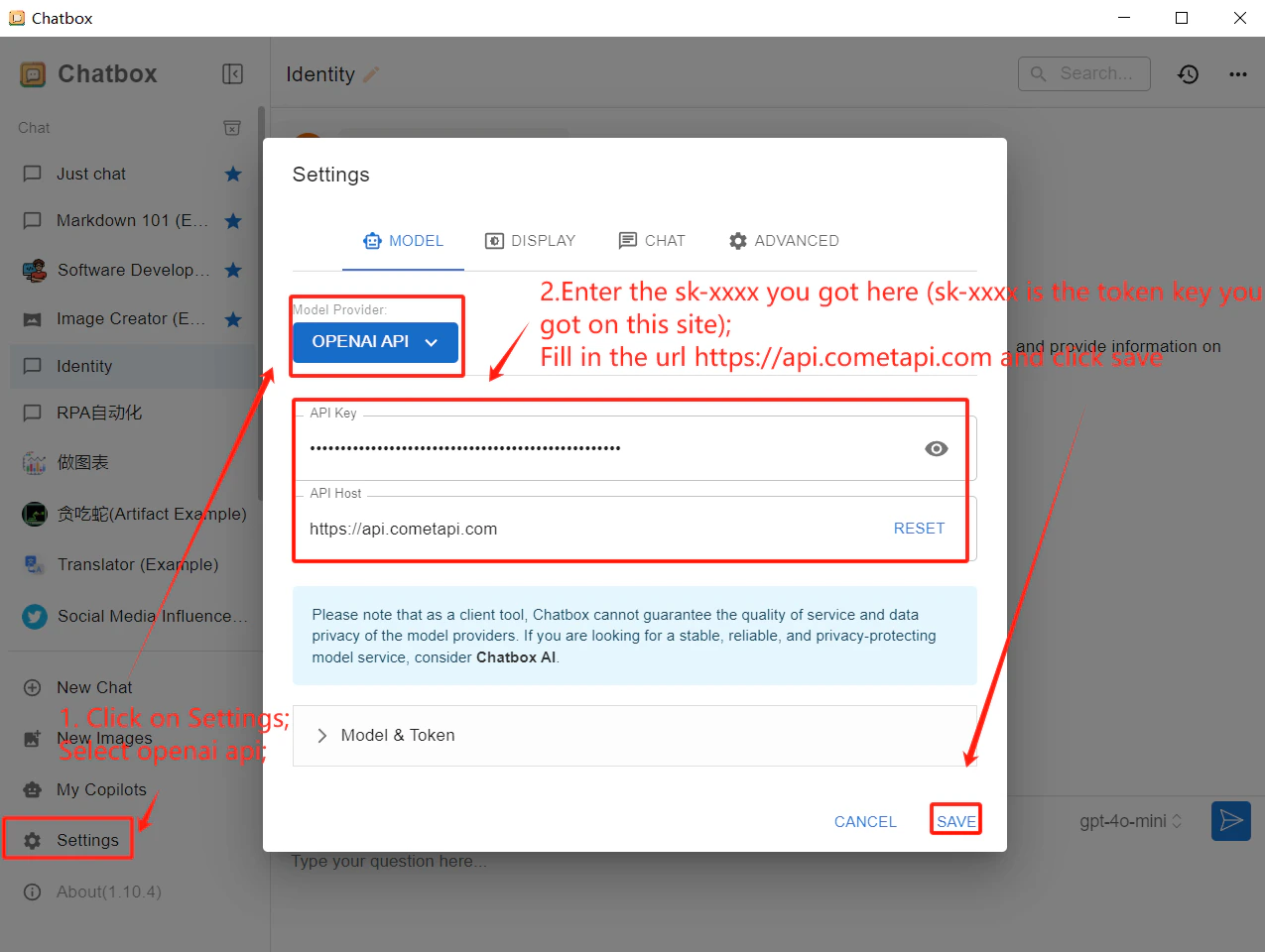
Chatbox settings showing OpenAI API selected and CometAPI domain entered
3

Test the connection

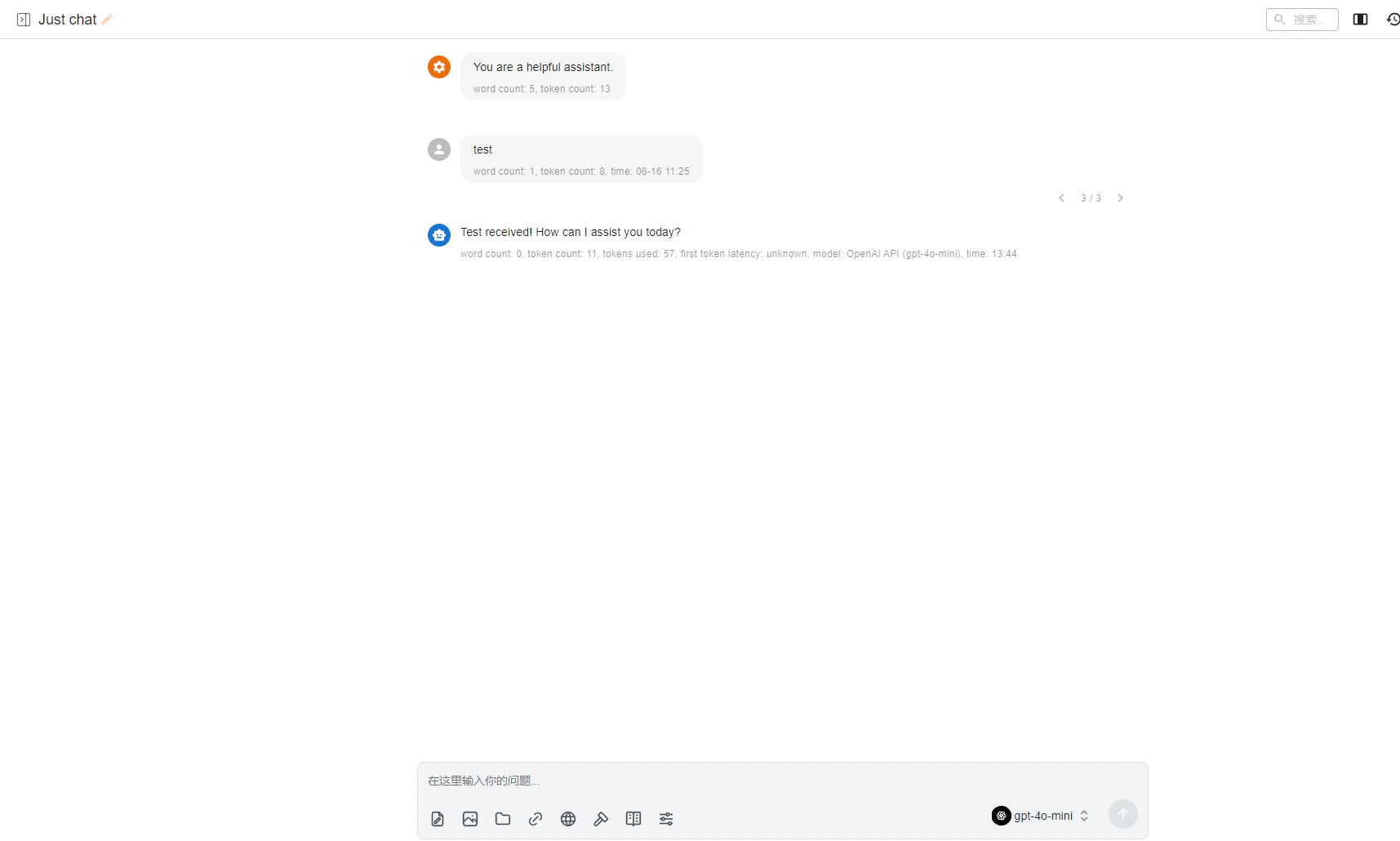
Send a test message in Chatbox. A successful reply confirms the integration is working.
Chatbox chat window showing a successful response
To add more models, go to the Chatbox settings page and add a new model entry using the current model ID you want.
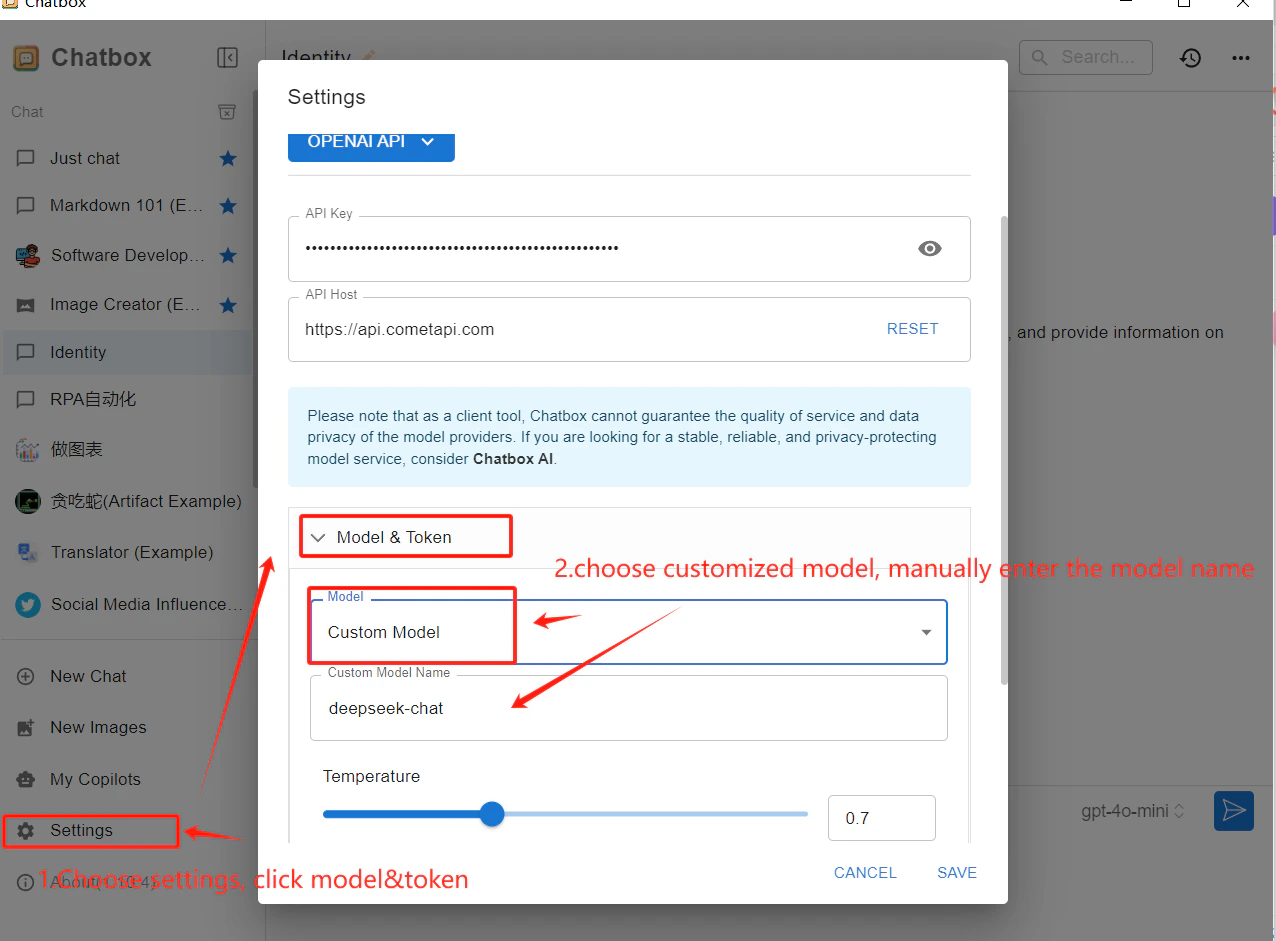
Chatbox settings page showing a new custom model added
