FastGPT is a knowledge-base-powered AI workflow platform. Configure a CometAPI key as an OpenAI-compatible third-party account to use it across all workflows.

Prerequisites

Setup

1

Get your CometAPI API key

Log in to the CometAPI dashboard. Click Add API Key and copy your key and base URL (https://api.cometapi.com).

CometAPI dashboard — Add API Key
CometAPI API key and base URL
2

Add CometAPI as a third-party account

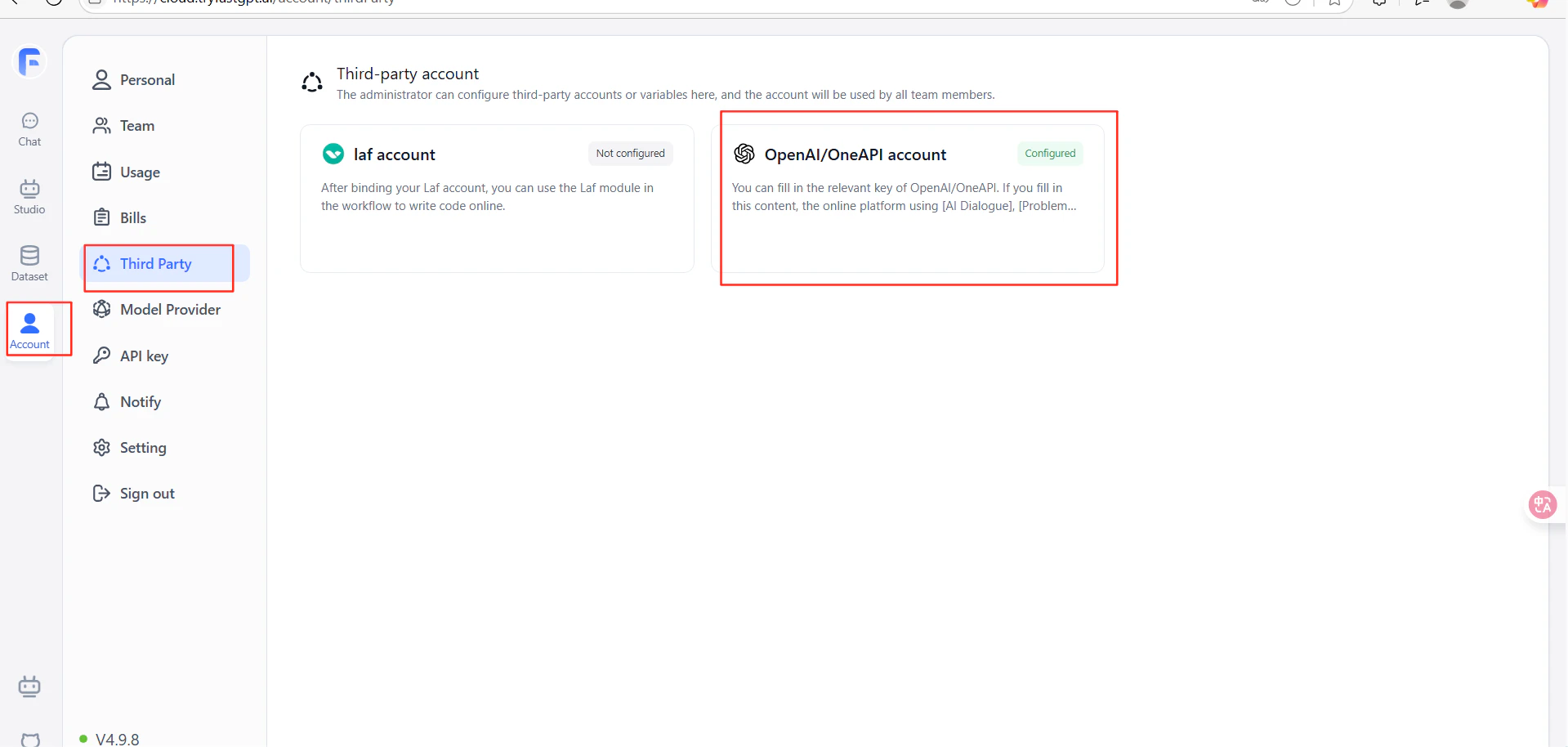
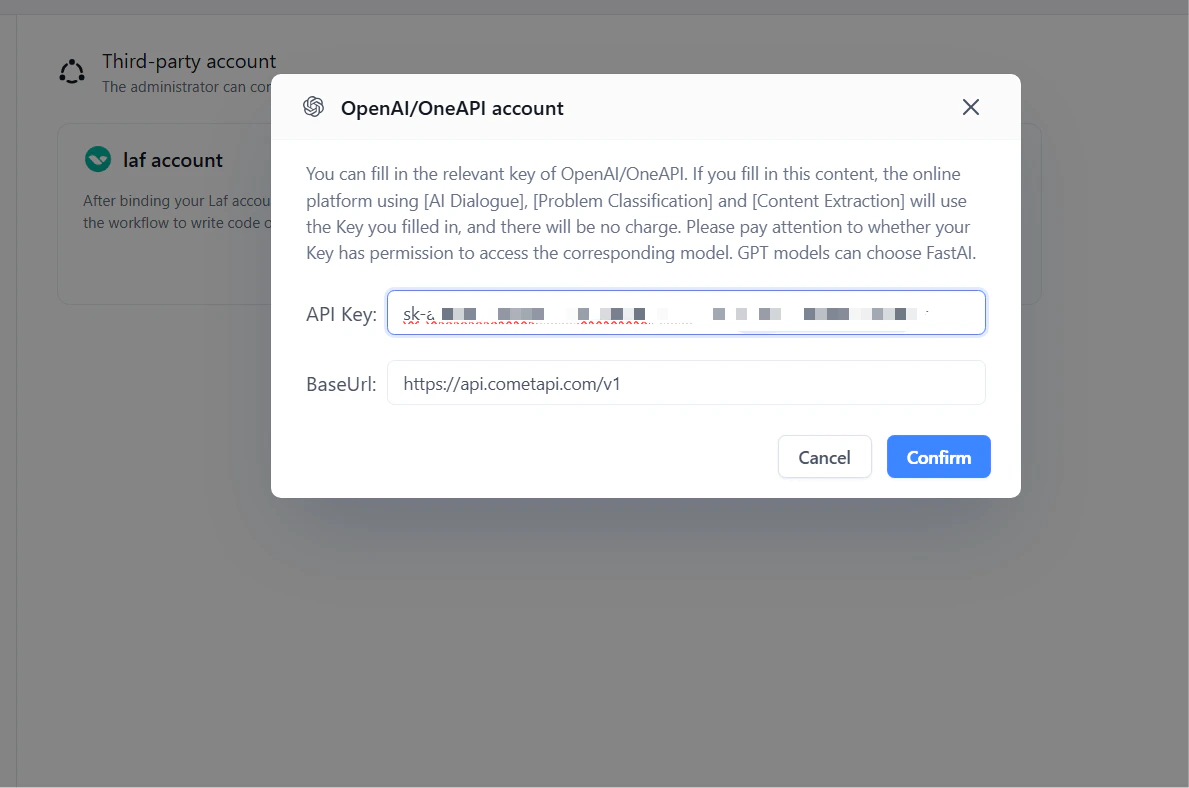
In FastGPT, go to Account SettingsThird-party AccountsOpenAI Account. Enter https://api.cometapi.com/v1 in the URL field (include the /v1 suffix). Paste your CometAPI key into API Key and click Confirm.
FastGPT third-party accounts — OpenAI Account option
URL and API key fields filled in for CometAPI in FastGPT
3

Test the connection

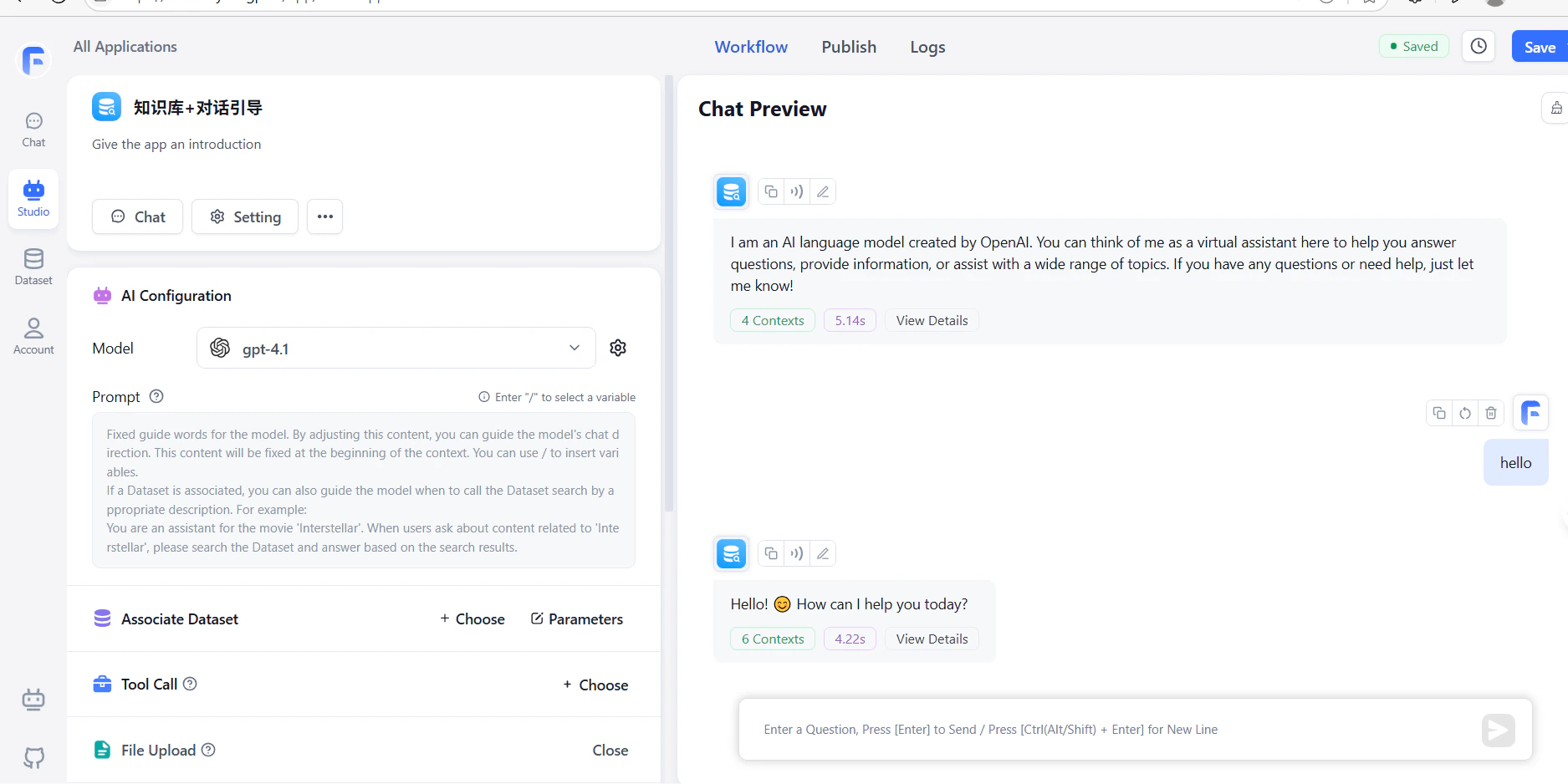
Create a workflow with an LLM node and run it. A successful response confirms the setup is working.
FastGPT workflow showing a successful response from CometAPI
The URL must include the /v1 suffix: https://api.cometapi.com/v1. Omitting it will cause connection failures.