

Prerequisites
- An Activepieces account
- A CometAPI account with an active API key
Setup
Get your CometAPI API key


Create a flow and add the CometAPI step
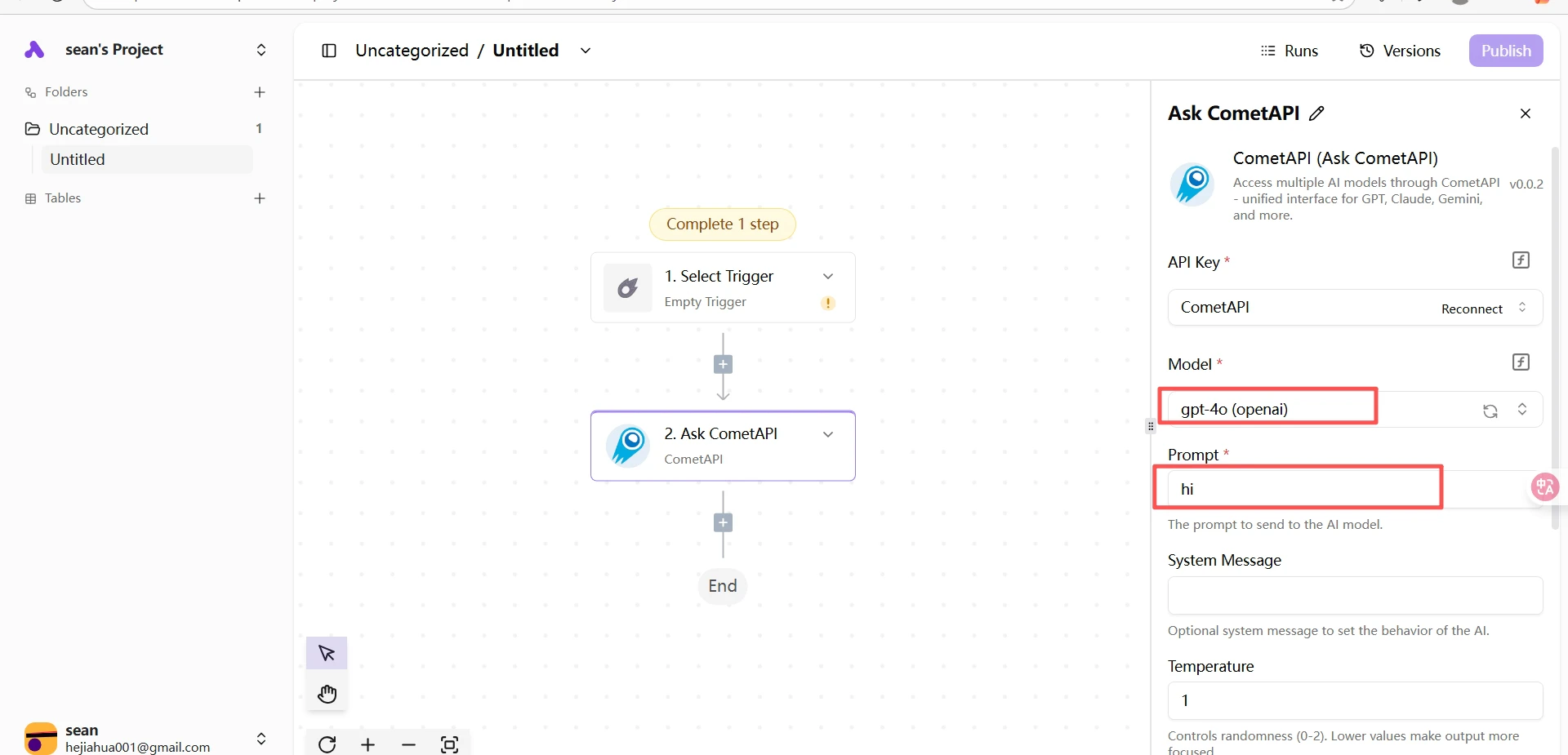
In your Activepieces project, click Create Flow → From Scratch. Click the + button on the canvas, search for 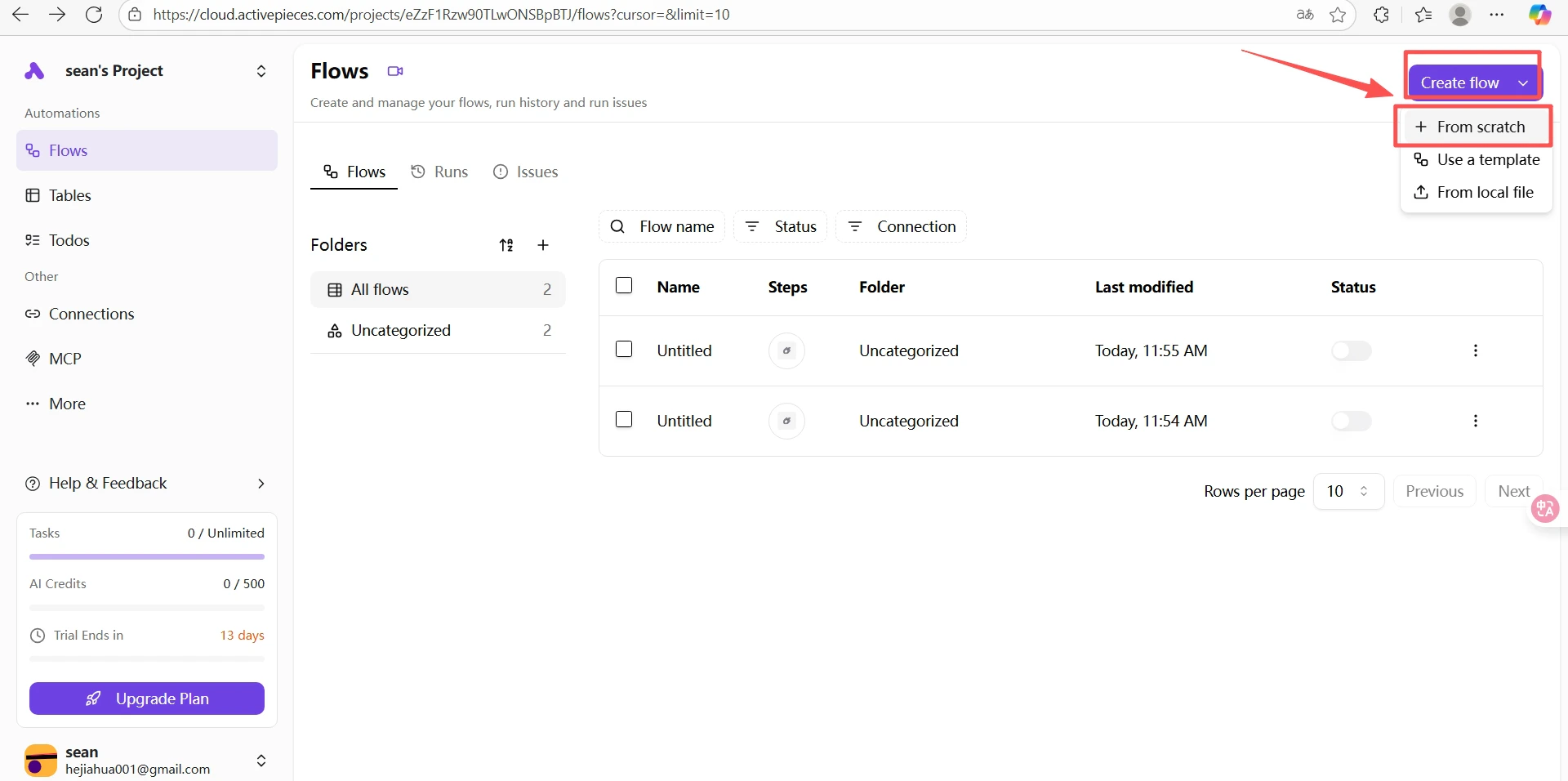
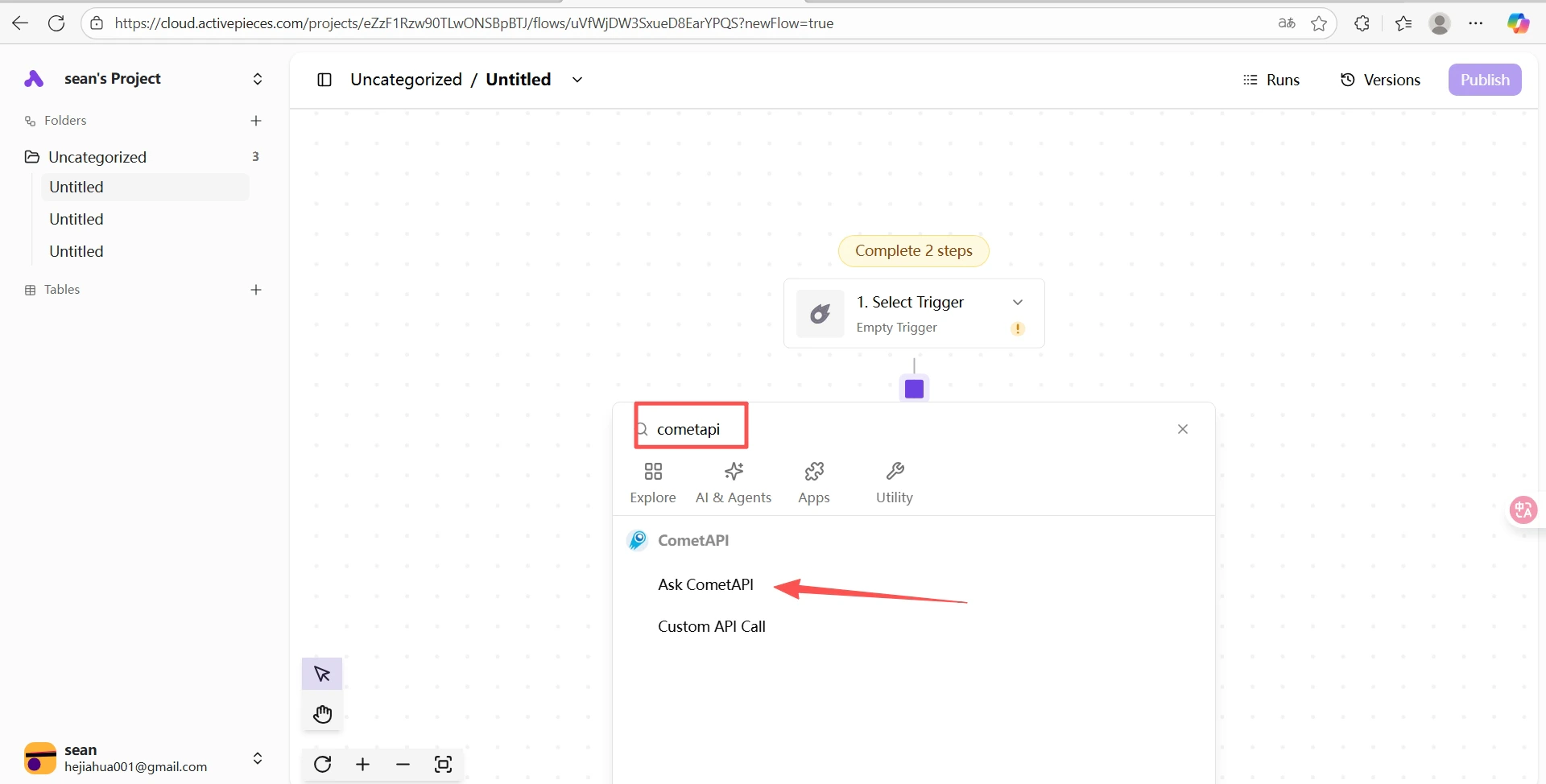
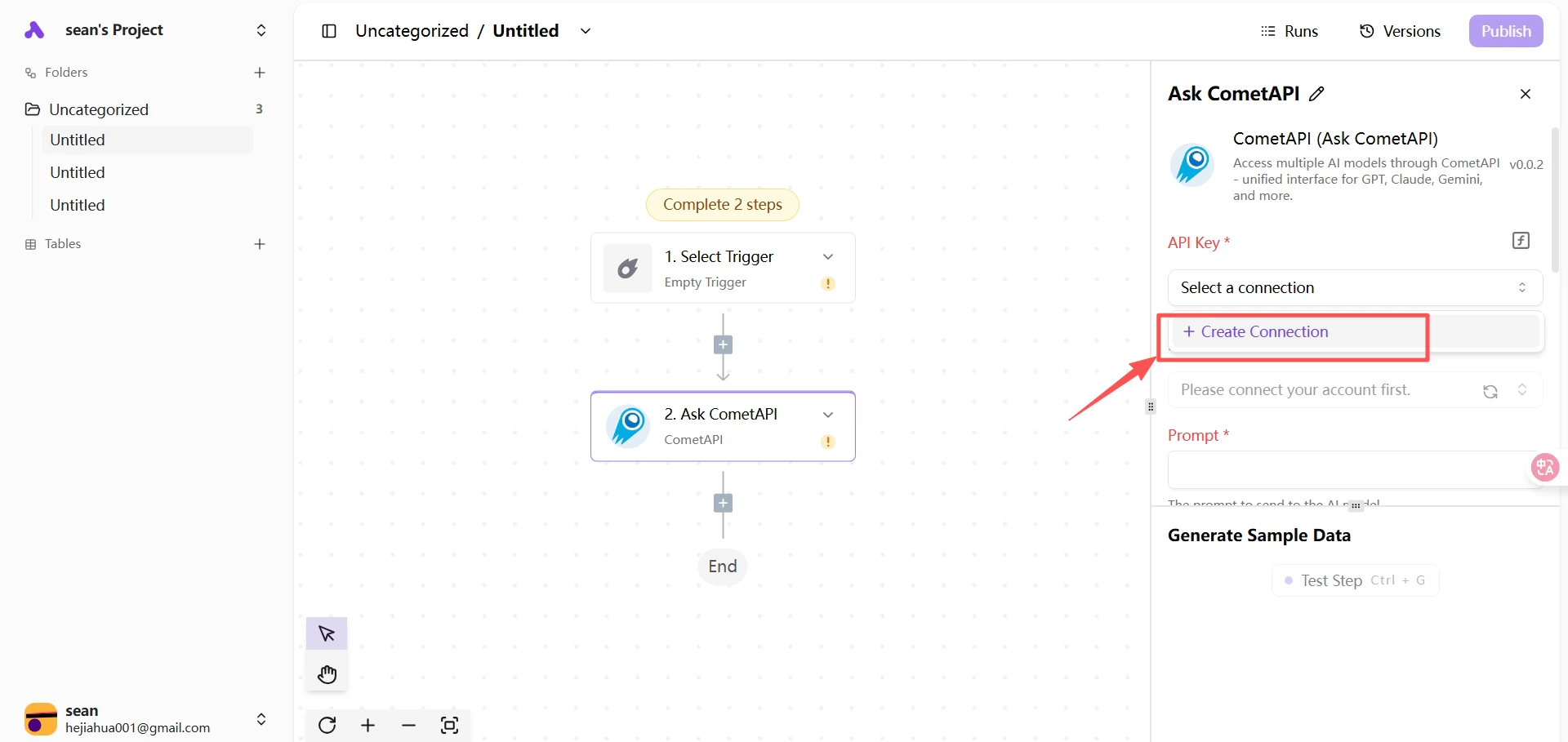
cometapi, and select Ask CometAPI.Configure the CometAPI step
Paste your API key into the API Key field. Select the current model you want to use and fill in your prompt.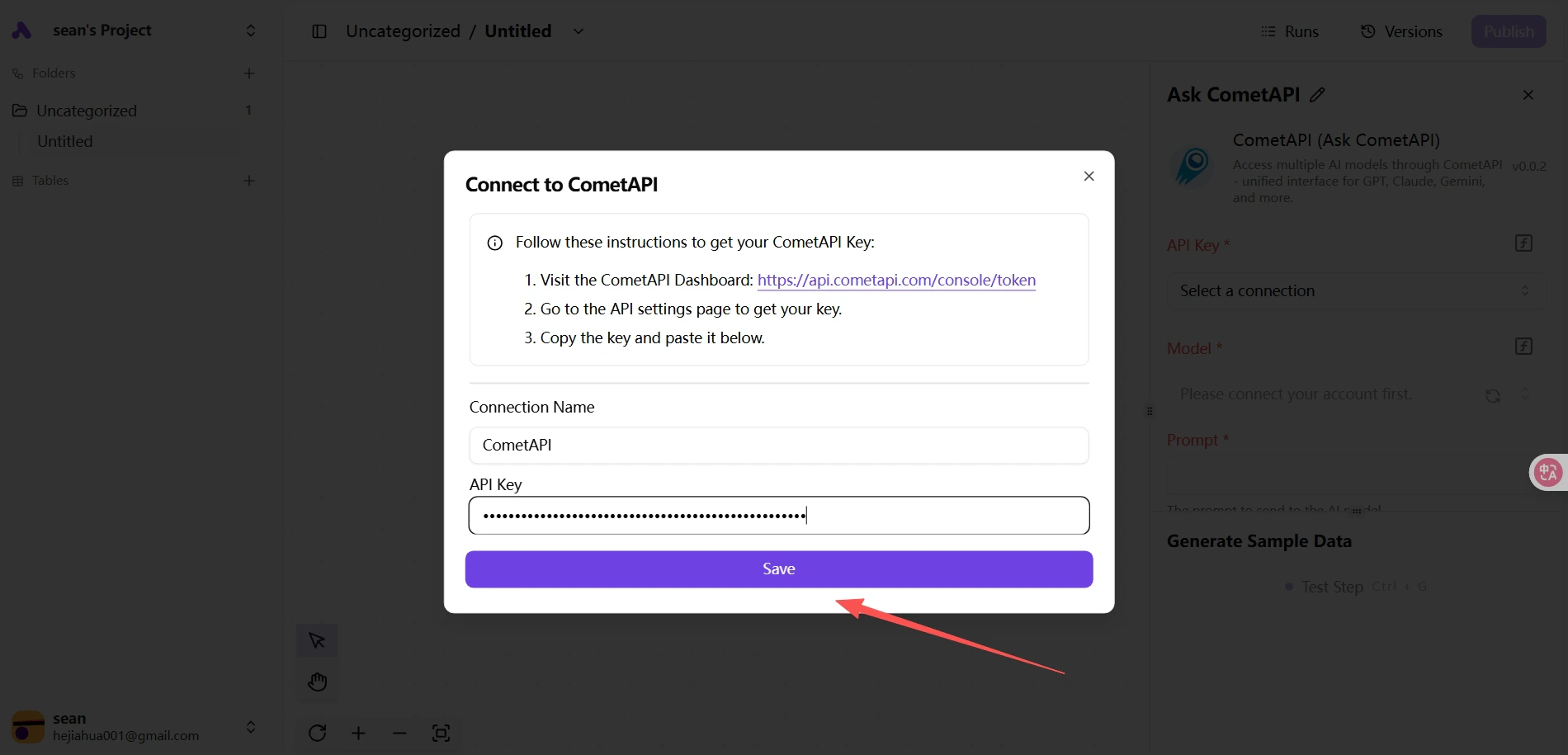
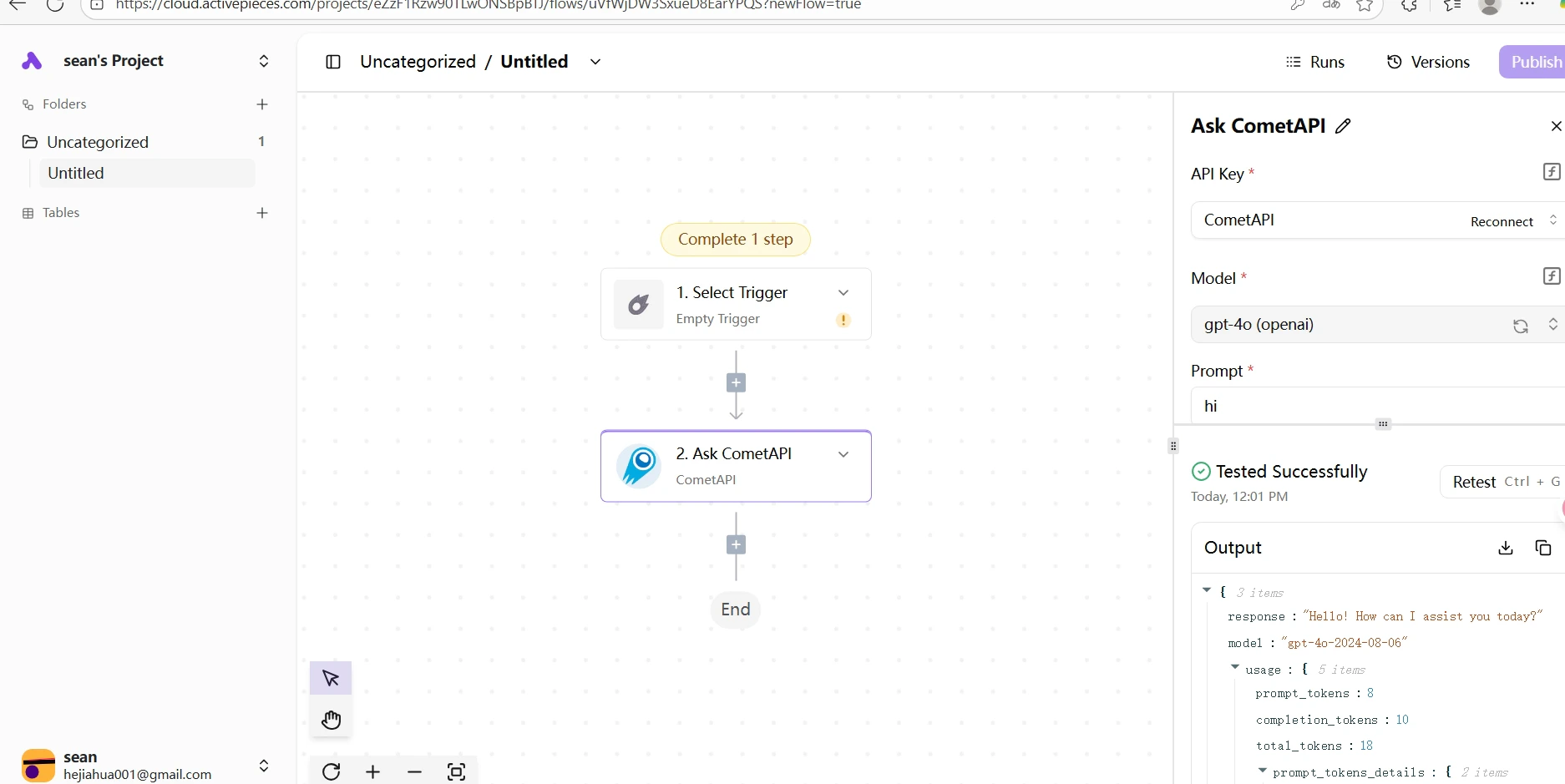
If the test fails, verify your API key is correct and your account has available balance. Contact CometAPI support if the issue persists.