Make (formerly Integromat) is a visual automation platform. Connect CometAPI to build AI-powered workflows across hundreds of apps — no code required.

Prerequisites

1

Get your CometAPI API key

Log in to the CometAPI console. Click Add API Key and copy your sk-xxxxx key.
CometAPI dashboard showing the Add API Key button
CometAPI API key details with base URL
2

Add CometAPI to a scenario

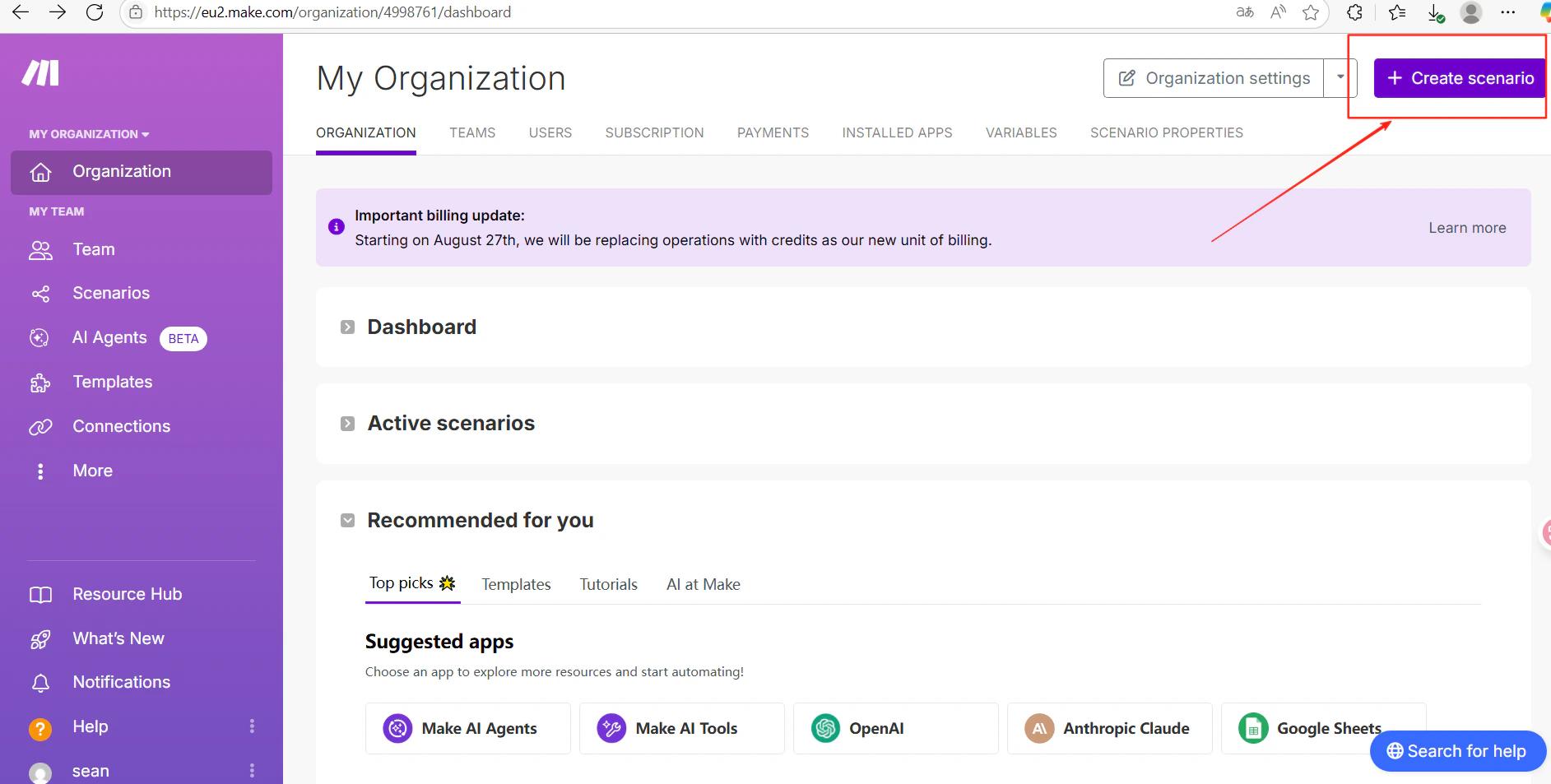
In Make, click Create scenario. In the scenario editor, click the + icon and search for CometAPI.
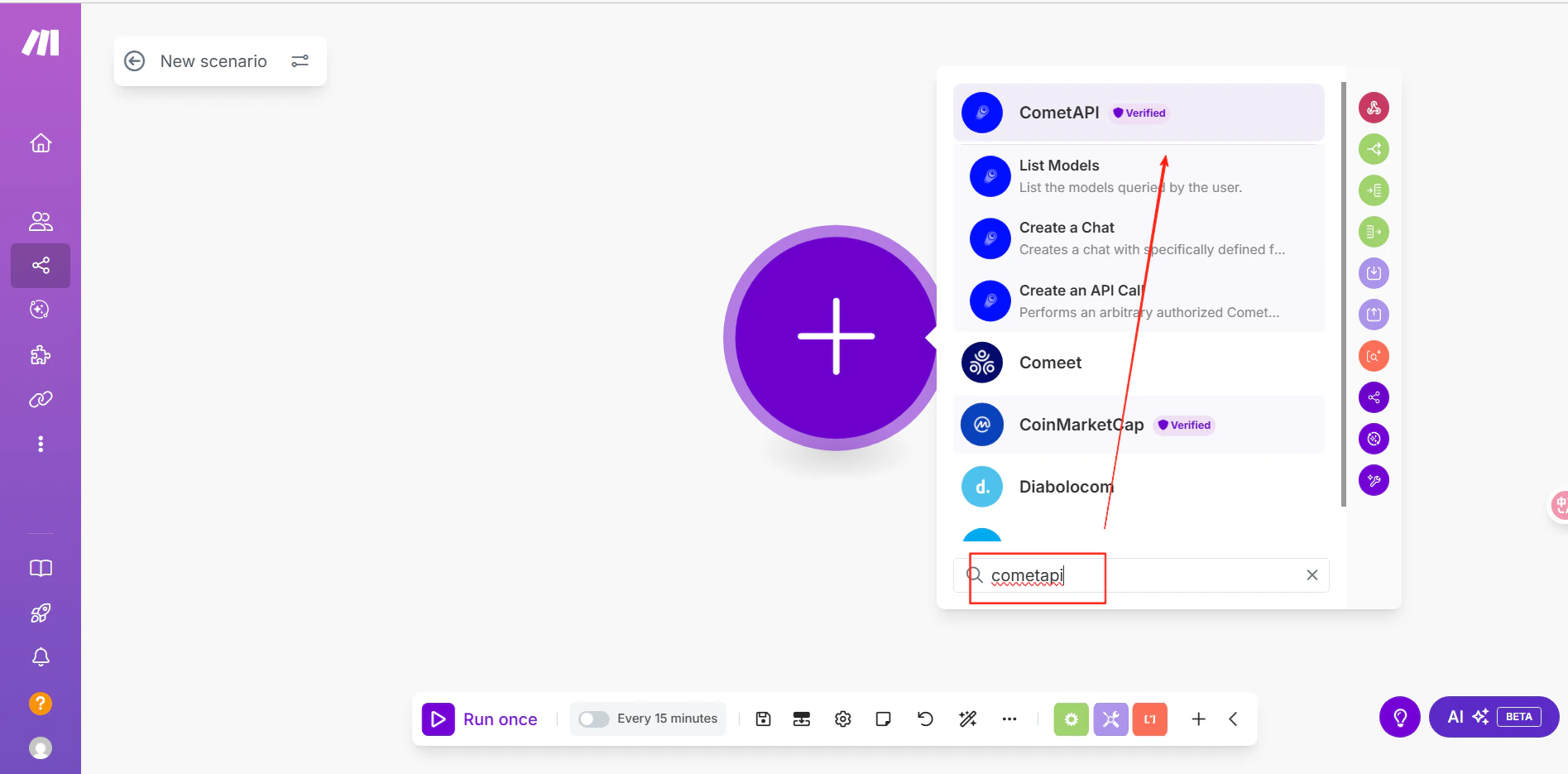
Make scenario editor with the module search open
Make search results showing the CometAPI module
3

Connect your CometAPI account

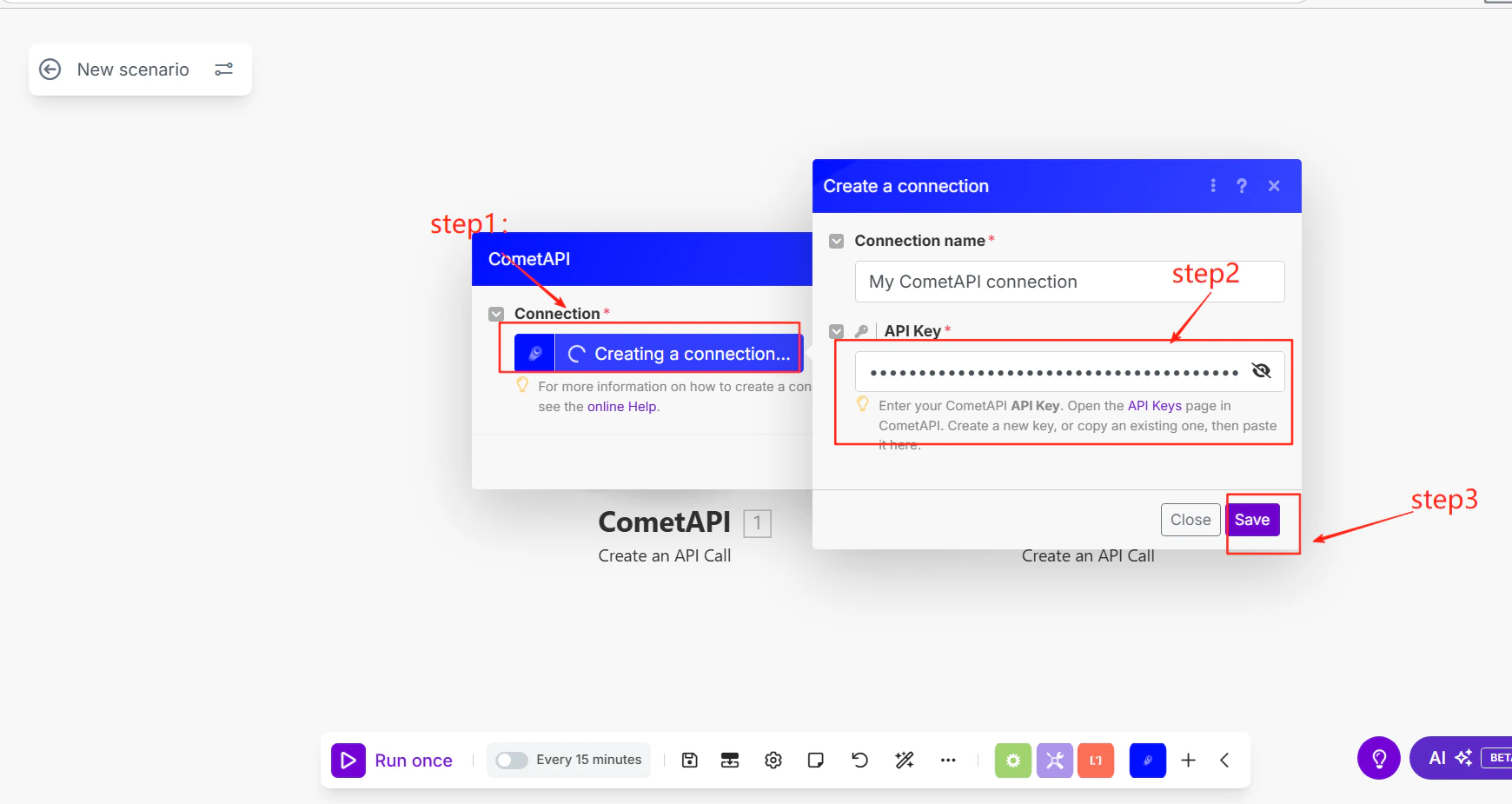
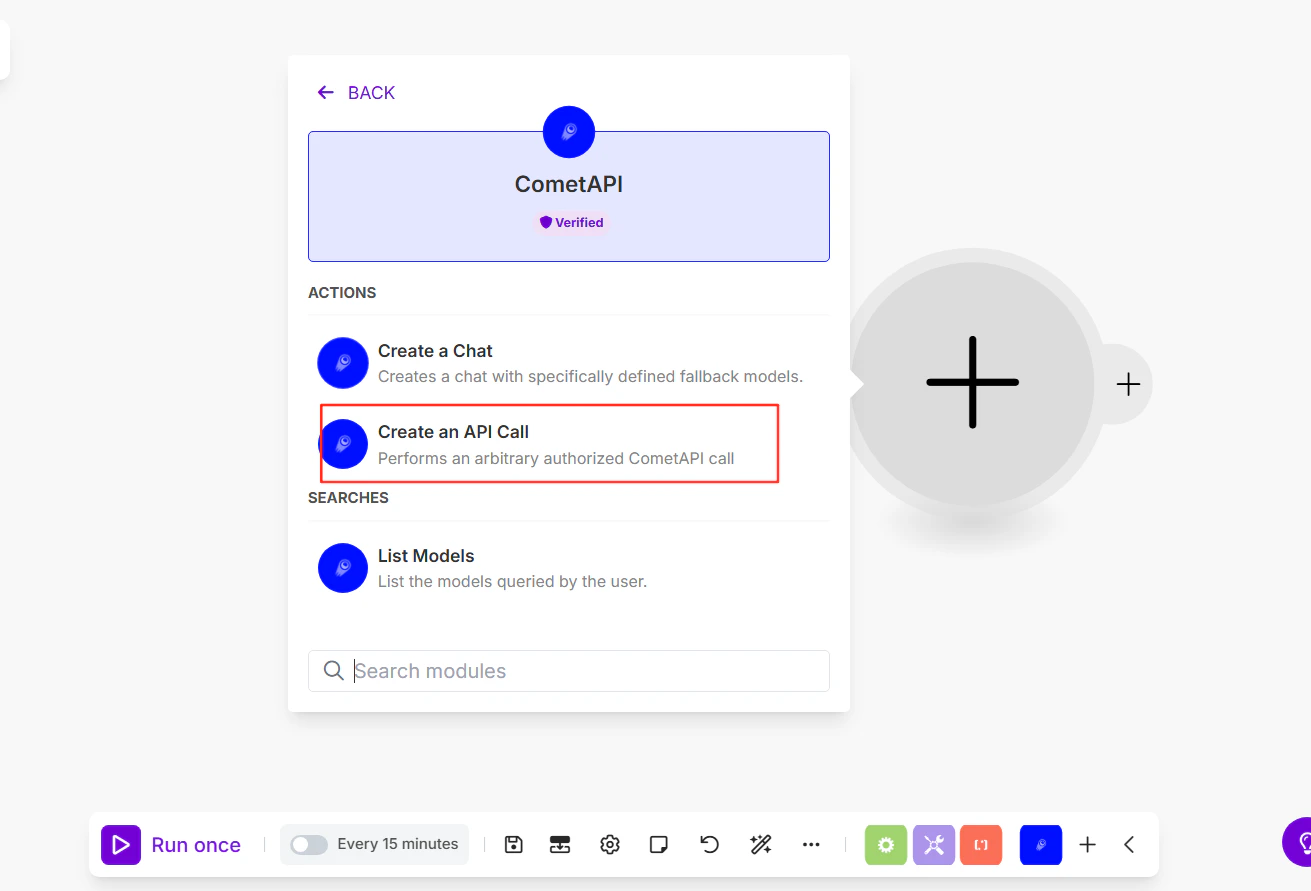
Select Make an API Call as the action. When prompted to add a connection, paste your sk-xxxxx key and click Save.
Make connection dialog with API key field
4

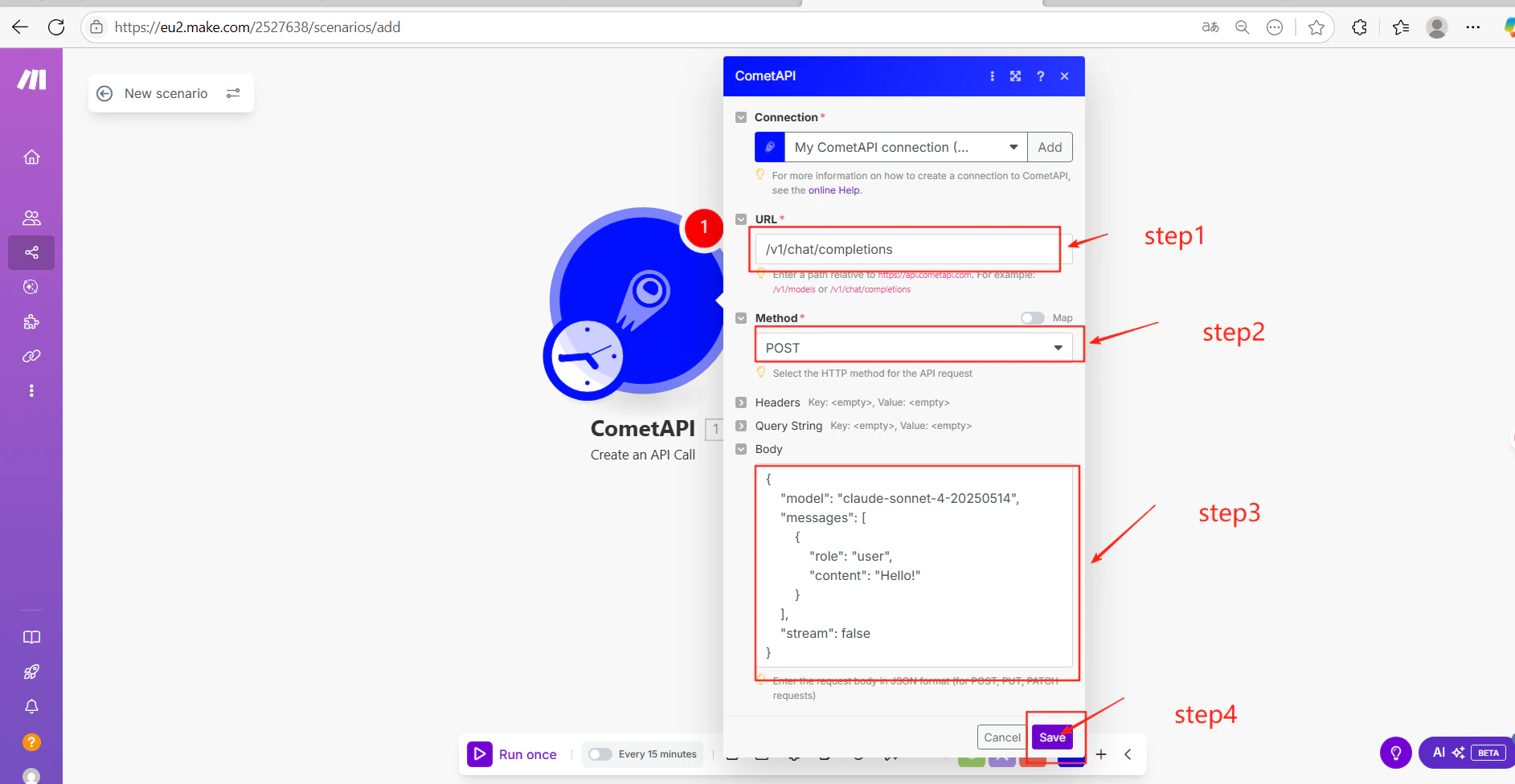
Configure the API call

Fill in the module settings:
  • URL: /v1/chat/completions
  • Method: POST
  • Body (JSON):
{
  "model": "your-model-id",
  "messages": [
    {
      "role": "user",
      "content": "Hello!"
    }
  ],
  "stream": false
}
Click Save. Replace your-model-id with a current model ID from the CometAPI Models page.
Make module with endpoint and JSON body configured
5

Test and publish

Click Run once to execute the scenario. A successful AI response in the output confirms the integration is working.
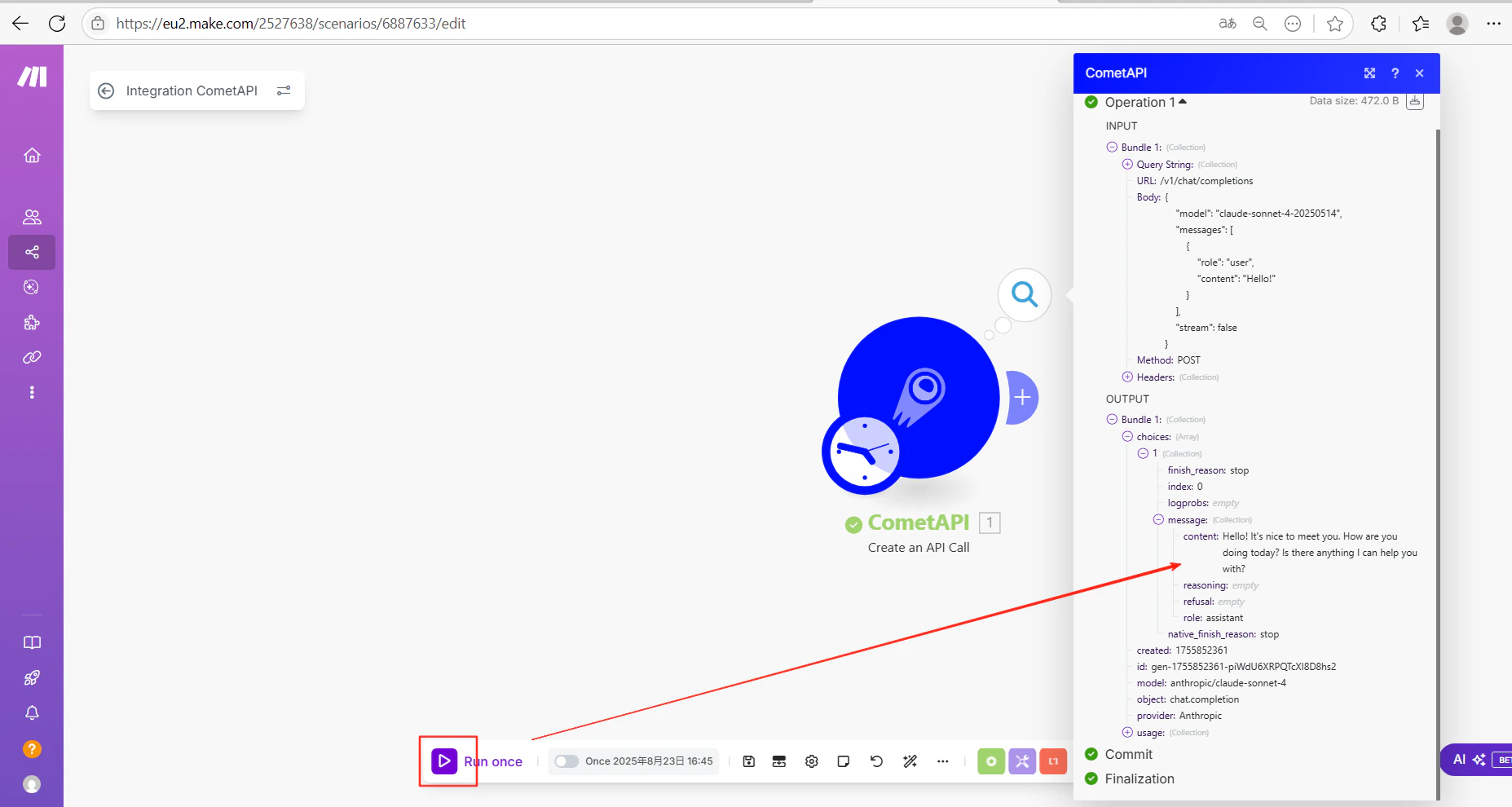
Make scenario output showing a successful CometAPI response
Make scenario run history showing success
If the call fails, verify your API key and endpoint URL, or contact CometAPI support.
You can replace the /v1/chat/completions endpoint with any CometAPI endpoint — for example /v1/images/generations for image generation. Adjust the JSON body to match the target endpoint’s parameters.