

Prerequisites
- Linux (Ubuntu/Debian/CentOS, etc.) or macOS
- 2 GB+ RAM, 10 GB+ free disk space
- Shell access with reach to the public npm registry
- Node.js 18.x or 20.x LTS (see Step 1)
- A CometAPI account with an active API key — get yours here
Get your CometAPI API key


Install Node.js via nvm
n8n 1.x requires Node.js 18.x or 20.x. The recommended approach is nvm:
If you see
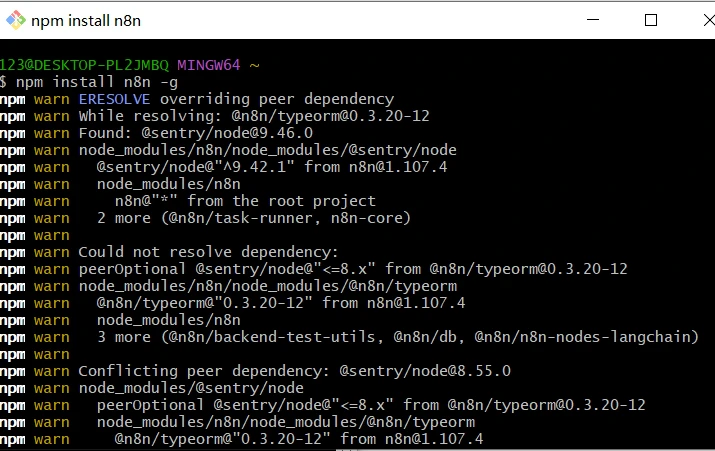
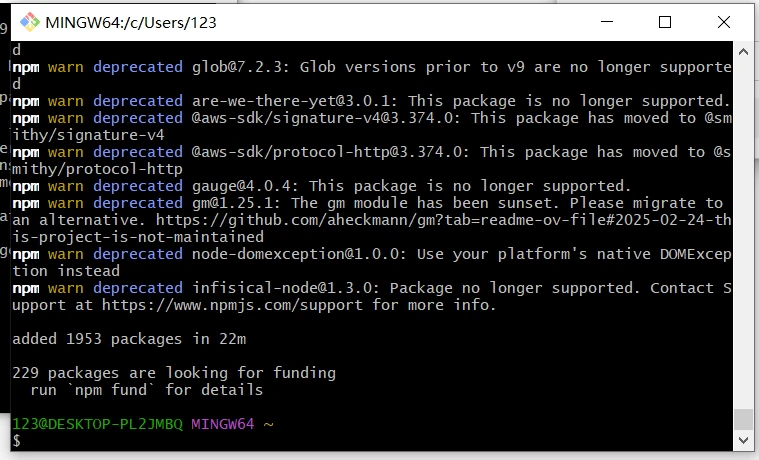
n8n: command not found later, restart the terminal or ensure the nvm-managed npm global bin directory is on your PATH.Install and start n8n
Create your owner account
Open http://localhost:5678/ in your browser. On first run, the setup wizard asks you to create an Owner account (email + password). Complete this and sign in.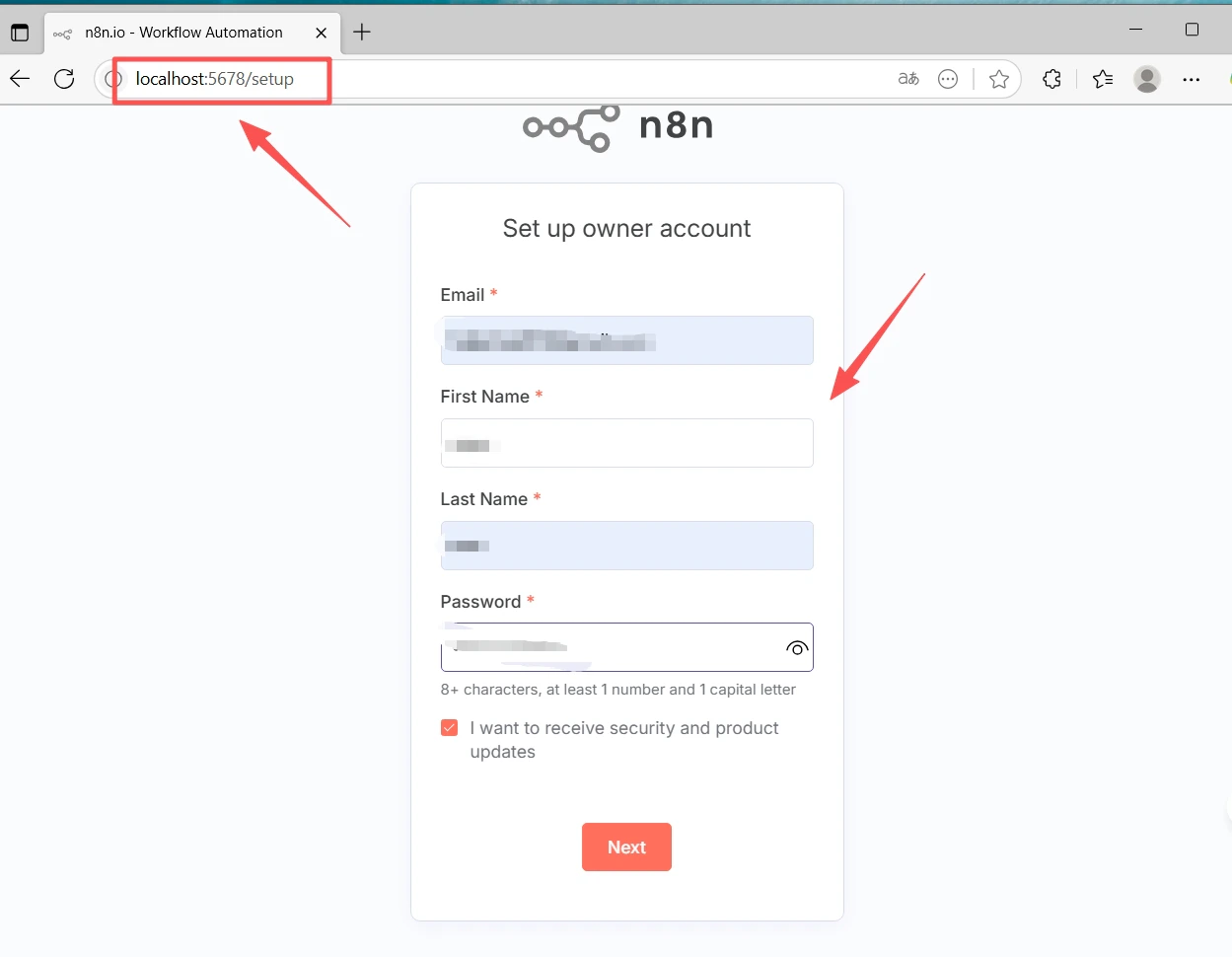
Install the CometAPI community node
- Go to Settings (bottom-left) → Community nodes
- Click Install a community node
- Enter the package name:
@cometapi-dev/n8n-nodes-cometapi - Check the risk acknowledgment box and click Install
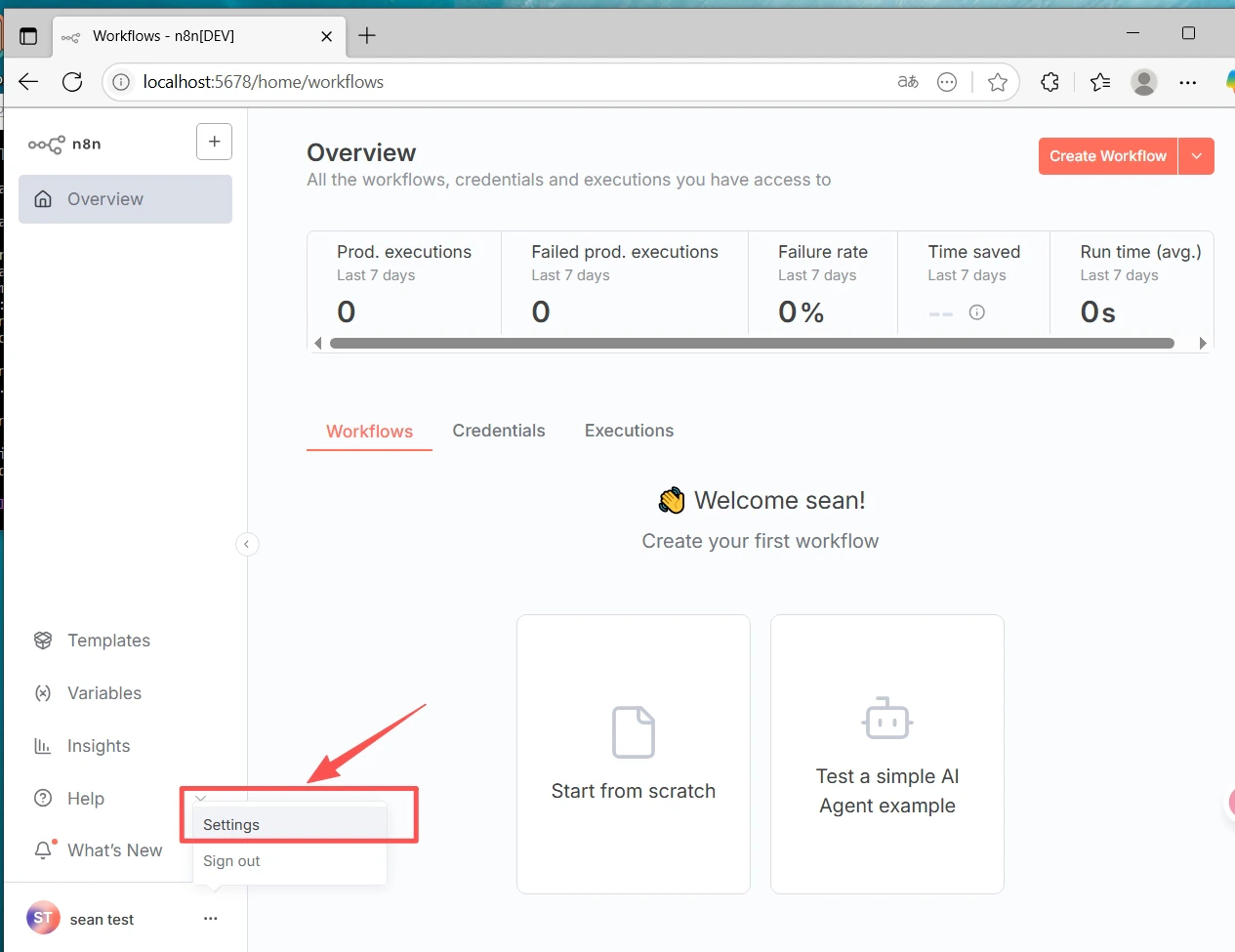
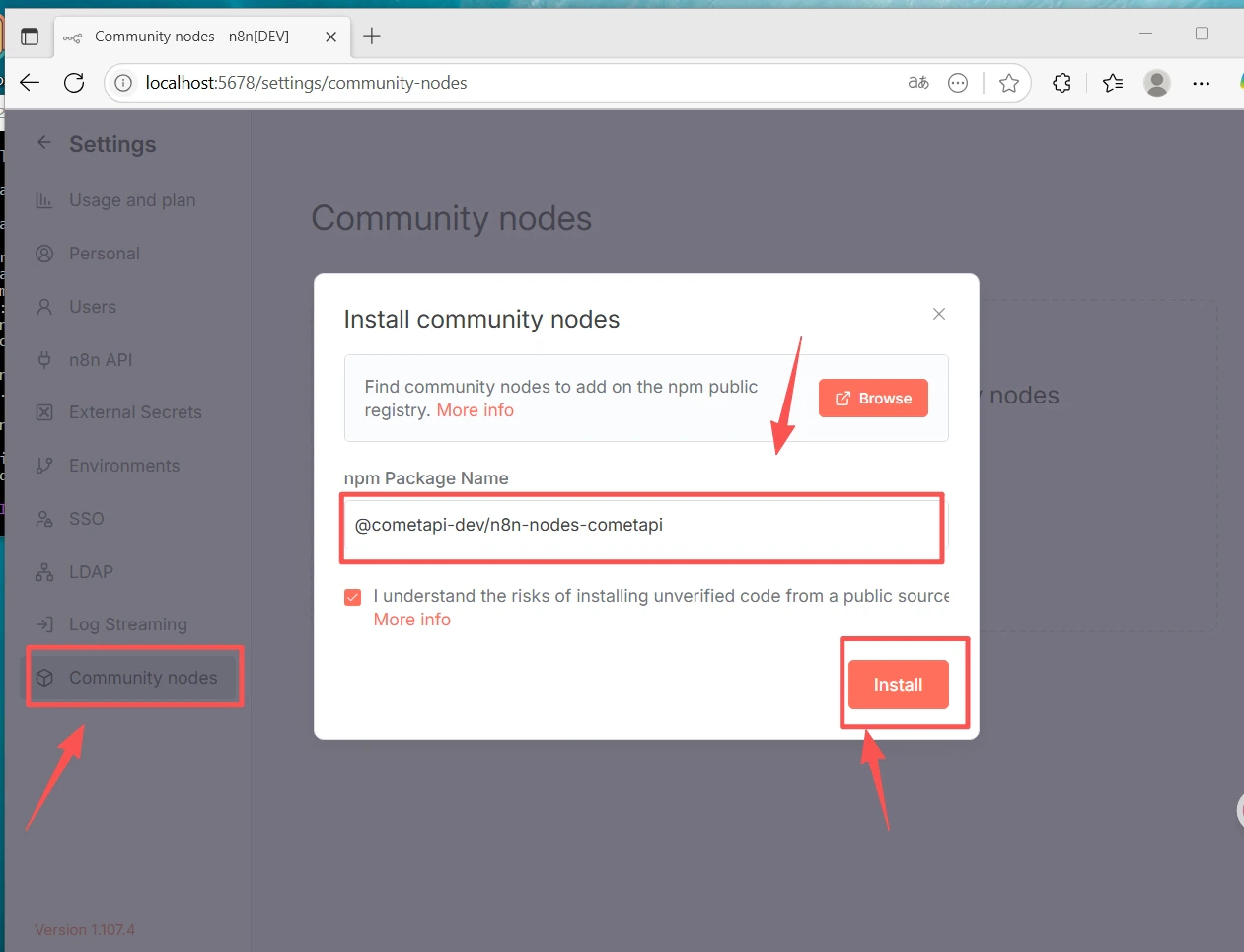
If the Community Nodes section is missing: make sure you are signed in as the Owner account, and check Settings → Security to confirm community node installation is enabled.
Create a workflow and configure credentials
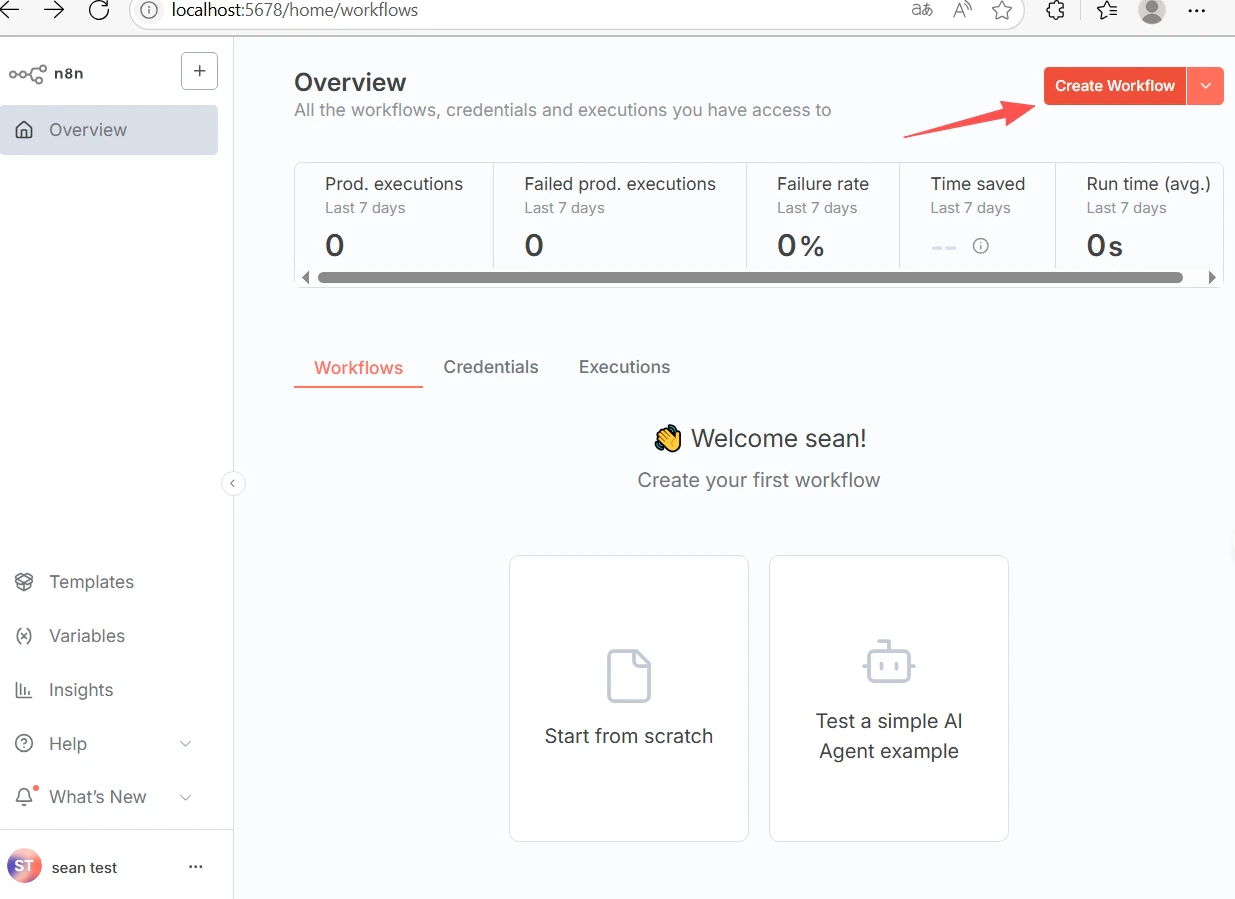
- Click + New at the top to create a workflow.
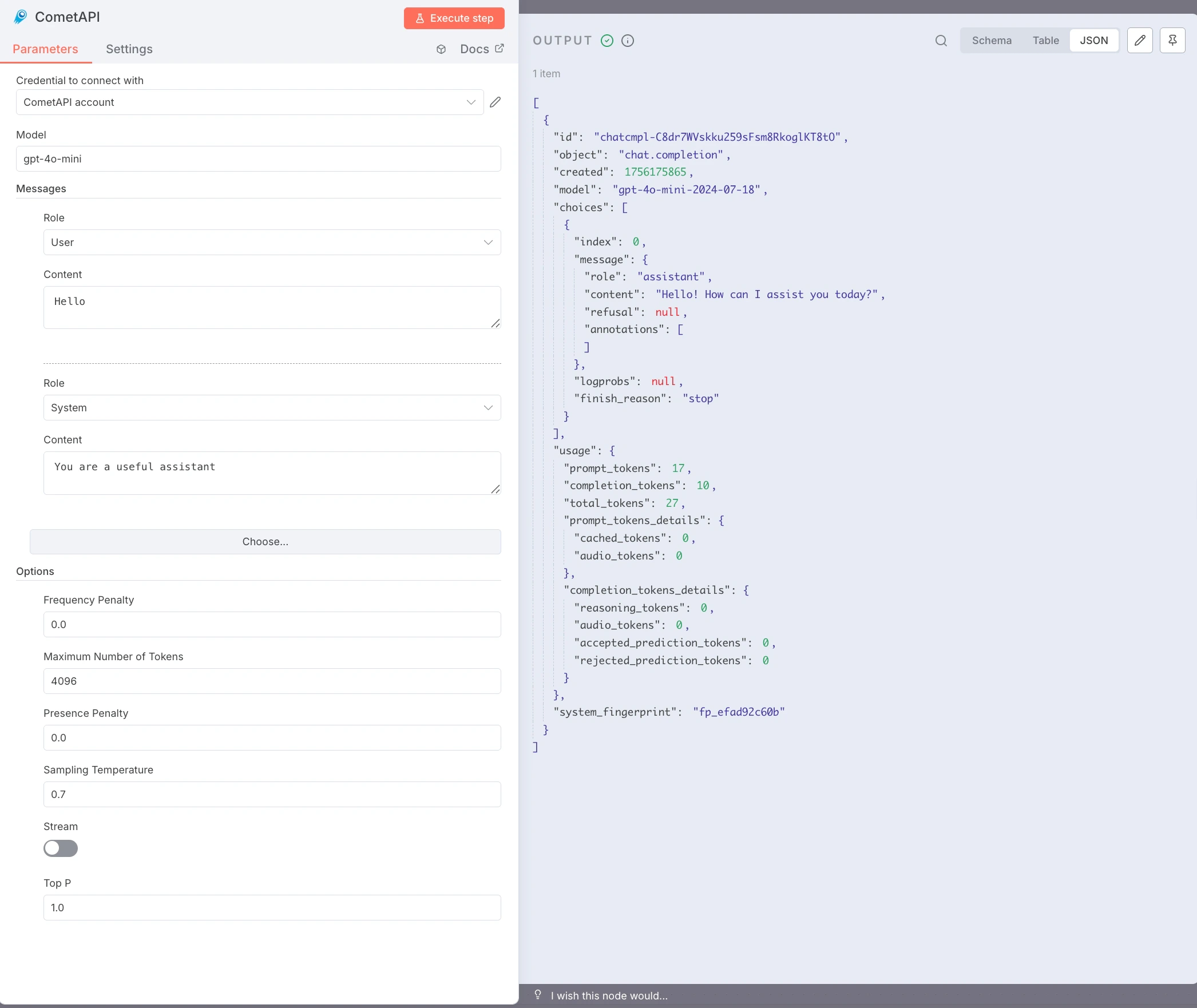
- Click + on the canvas and search for CometAPI to add the node.
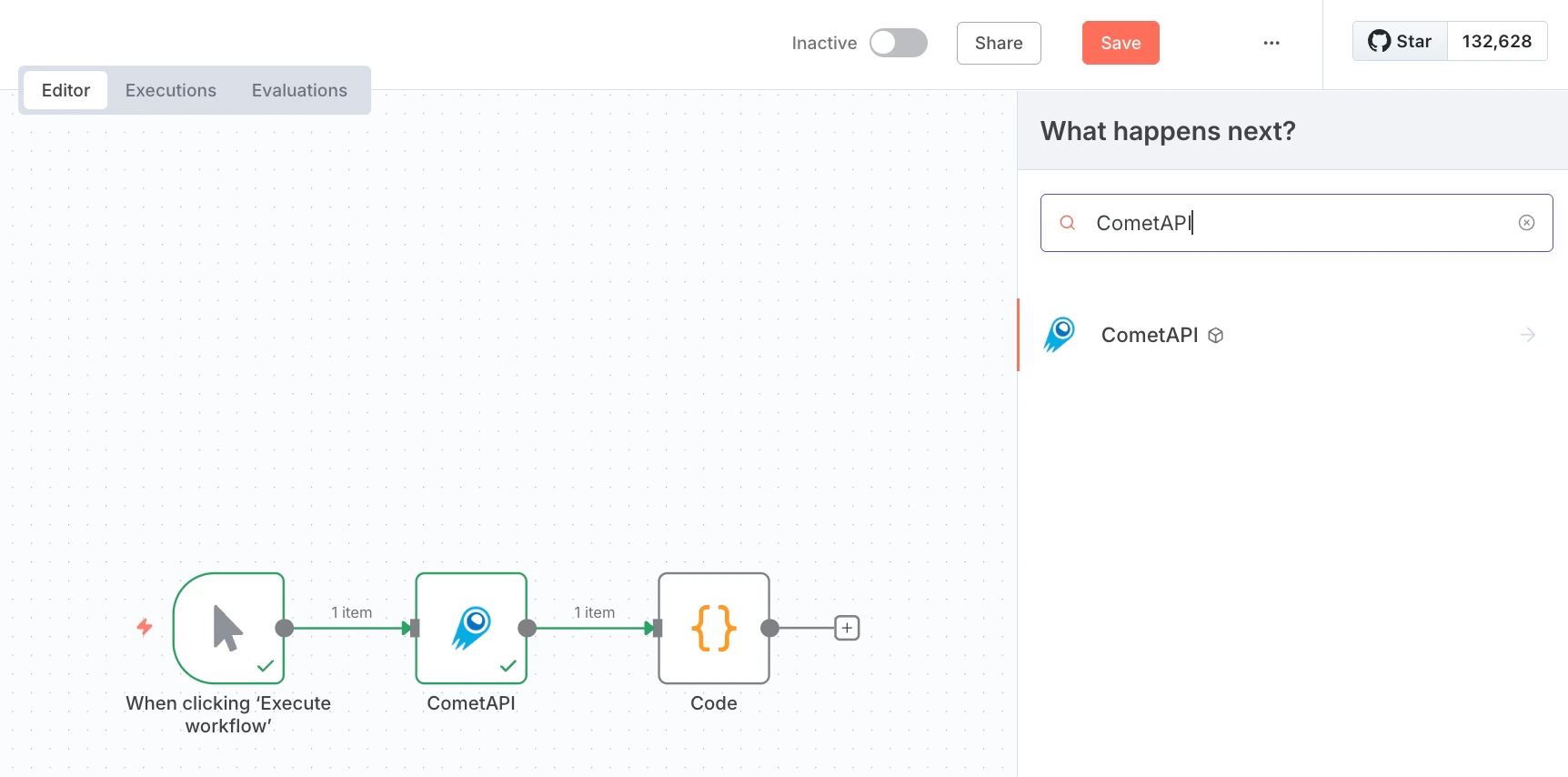
- Add a Manual Trigger node and connect it to the CometAPI node.
- In the CometAPI node, under Credential to connect with, choose Create new. Paste your
sk-xxxxxkey into CometAPI Key and click Save. The Base URL defaults tohttps://api.cometapi.comand typically needs no change.
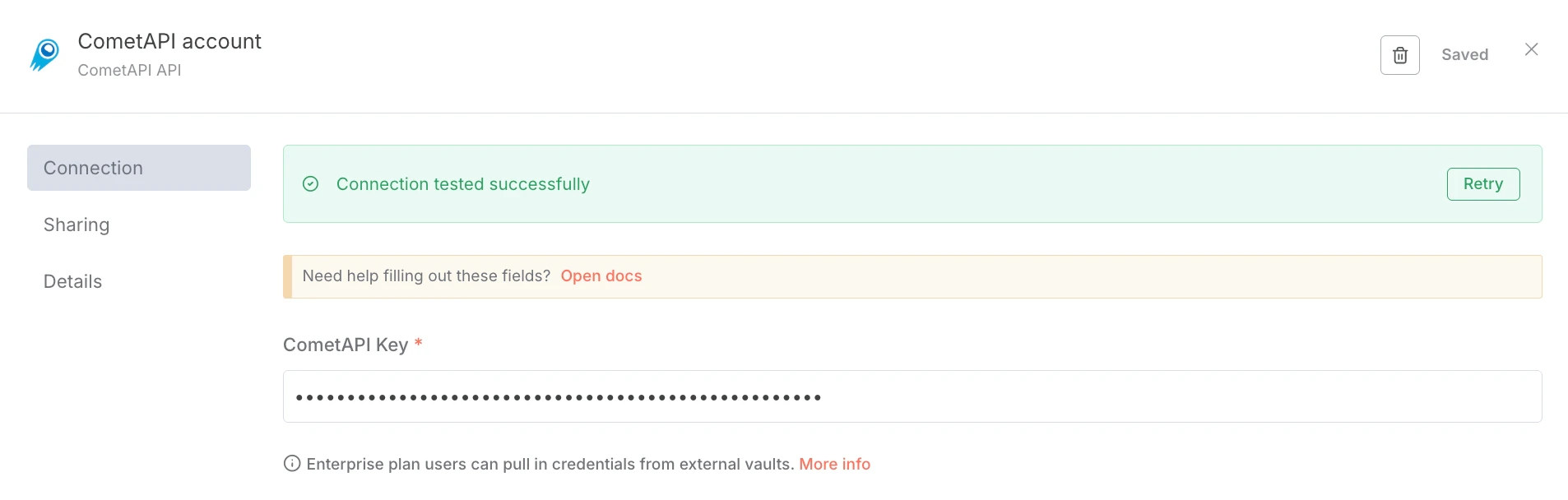
- Configure the node:
- Model: enter the current model ID you want to use
- Messages: set Role to
user, Content to your test prompt (e.g.Hello) - Optional: add a
systemmessage, set Max Tokens, Temperature, etc.
- Click Execute step to run the node. The Output panel shows the JSON response.
Troubleshooting
Troubleshooting
node-gypor native build errors — install build tools:sudo apt install build-essential python3(Debian/Ubuntu) or Xcode Command Line Tools (macOS).- npm permission errors (EACCES) — use nvm for a user-level Node.js install; no
sudoneeded. - Port conflict (
localhost:5678unavailable) — setN8N_PORT=5679(or another free port) before runningn8n start. - Community Nodes section missing — sign in as the Owner account and check Settings → Security.
- npm install fails on corporate networks — configure a proxy:
npm config set proxy http://user:pass@host:port - CometAPI node returns 401/403 — verify your API key and that the model is accessible on your CometAPI plan.
- Empty responses or token limit errors — increase Max Tokens; adjust Temperature and Top P as needed.
- n8n stops when terminal closes — use pm2:
pm2 start "n8n" --name n8n && pm2 save.