

Prerequisites
- A CometAPI account with an active API key — get yours here
- A FlowiseAI account — sign in here
Get your CometAPI API key


Add the ChatCometAPI node
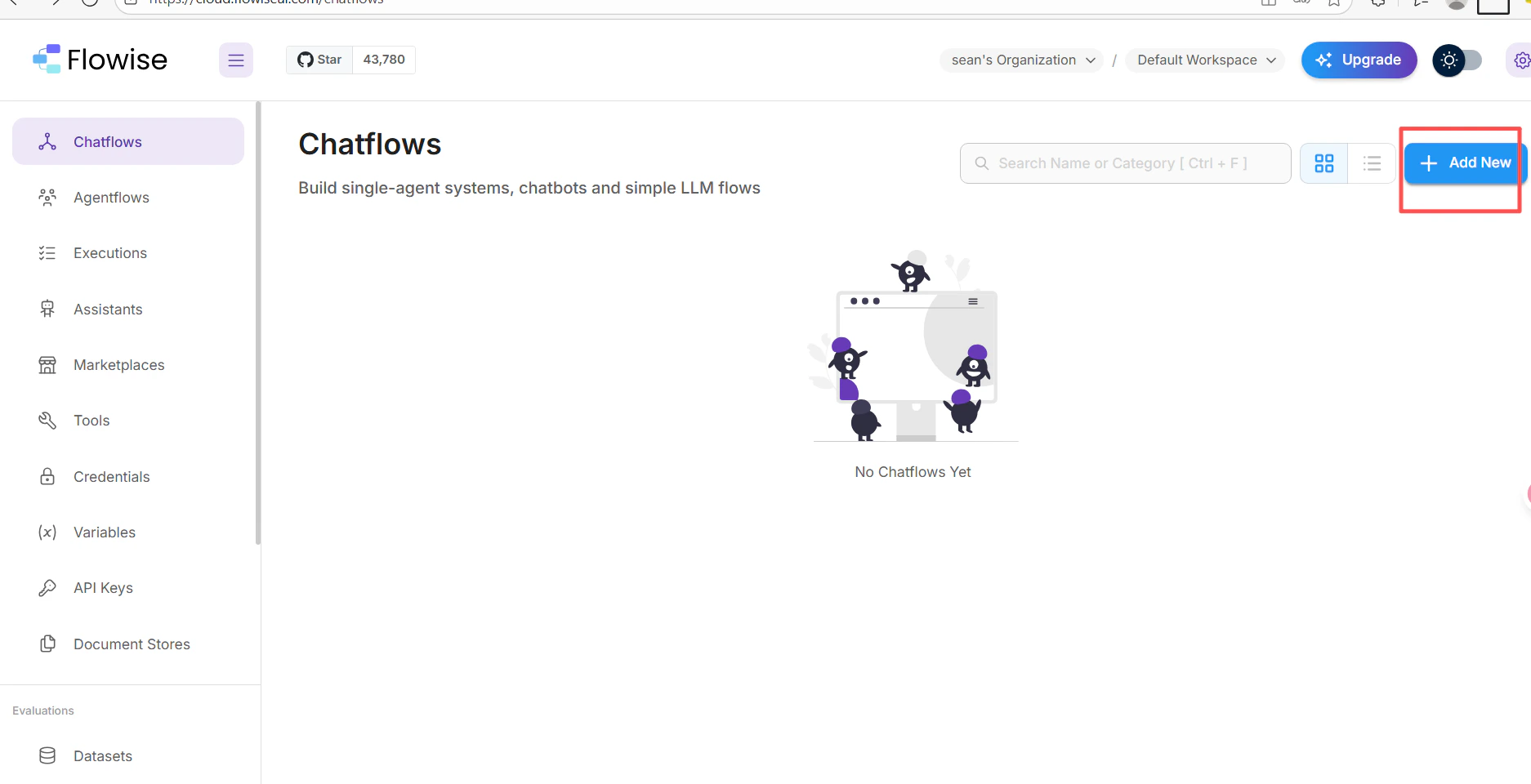
- In your FlowiseAI chatflow canvas, click Add New.
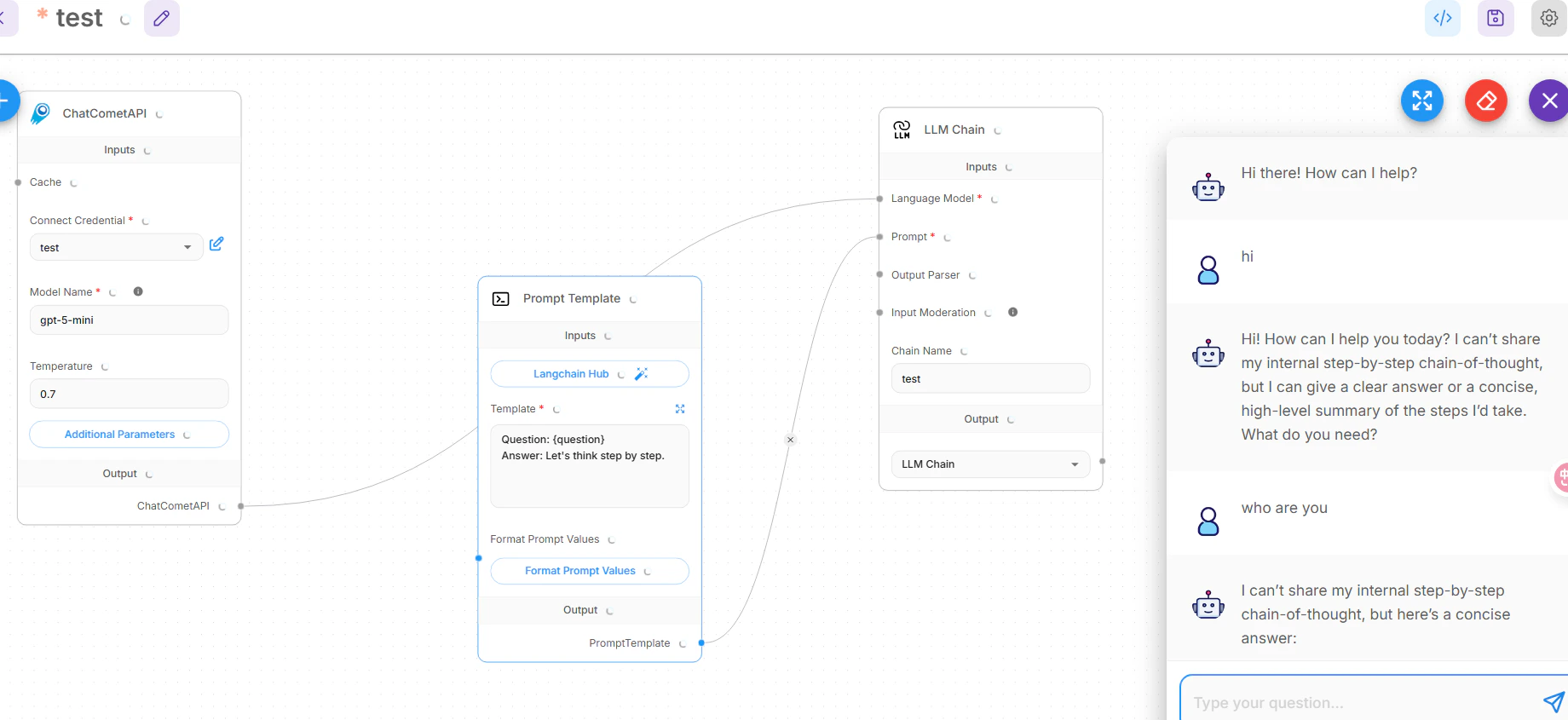
- Search for cometapi and select the ChatCometAPI node.
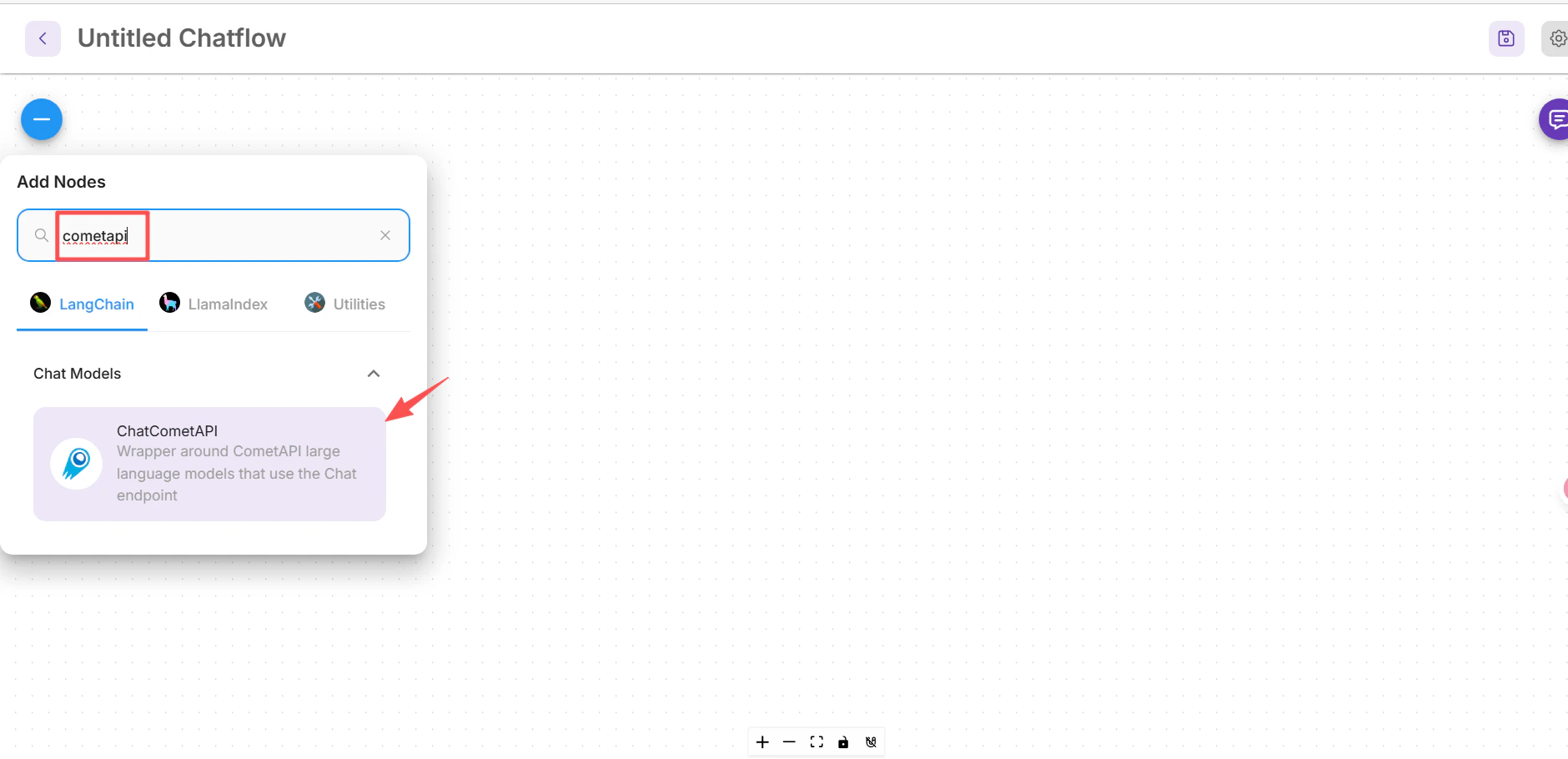
- Drag it onto the canvas.
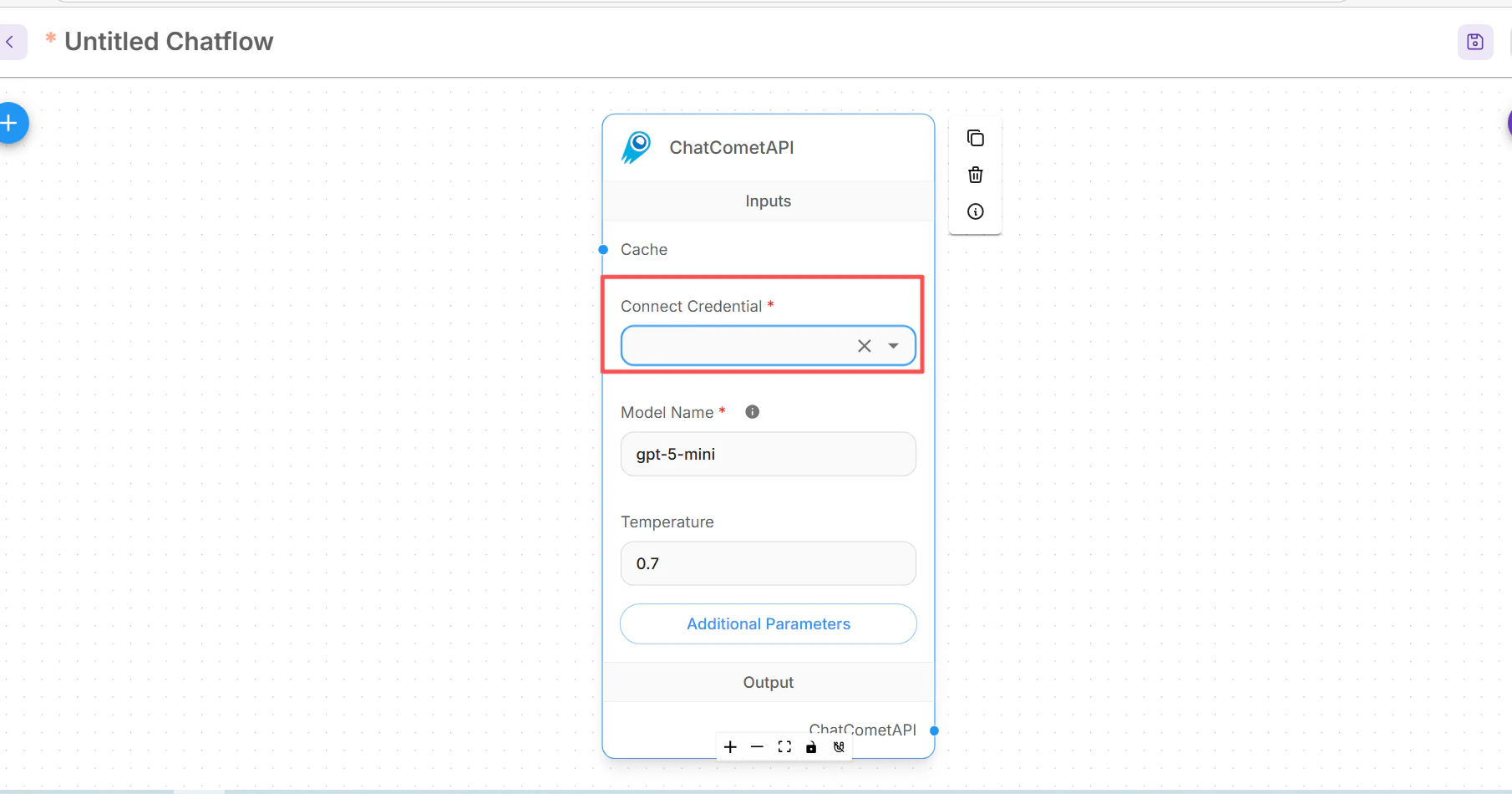
- In the node’s Connect Credential dropdown, select Create New, enter your
sk-xxxxxkey, and save.
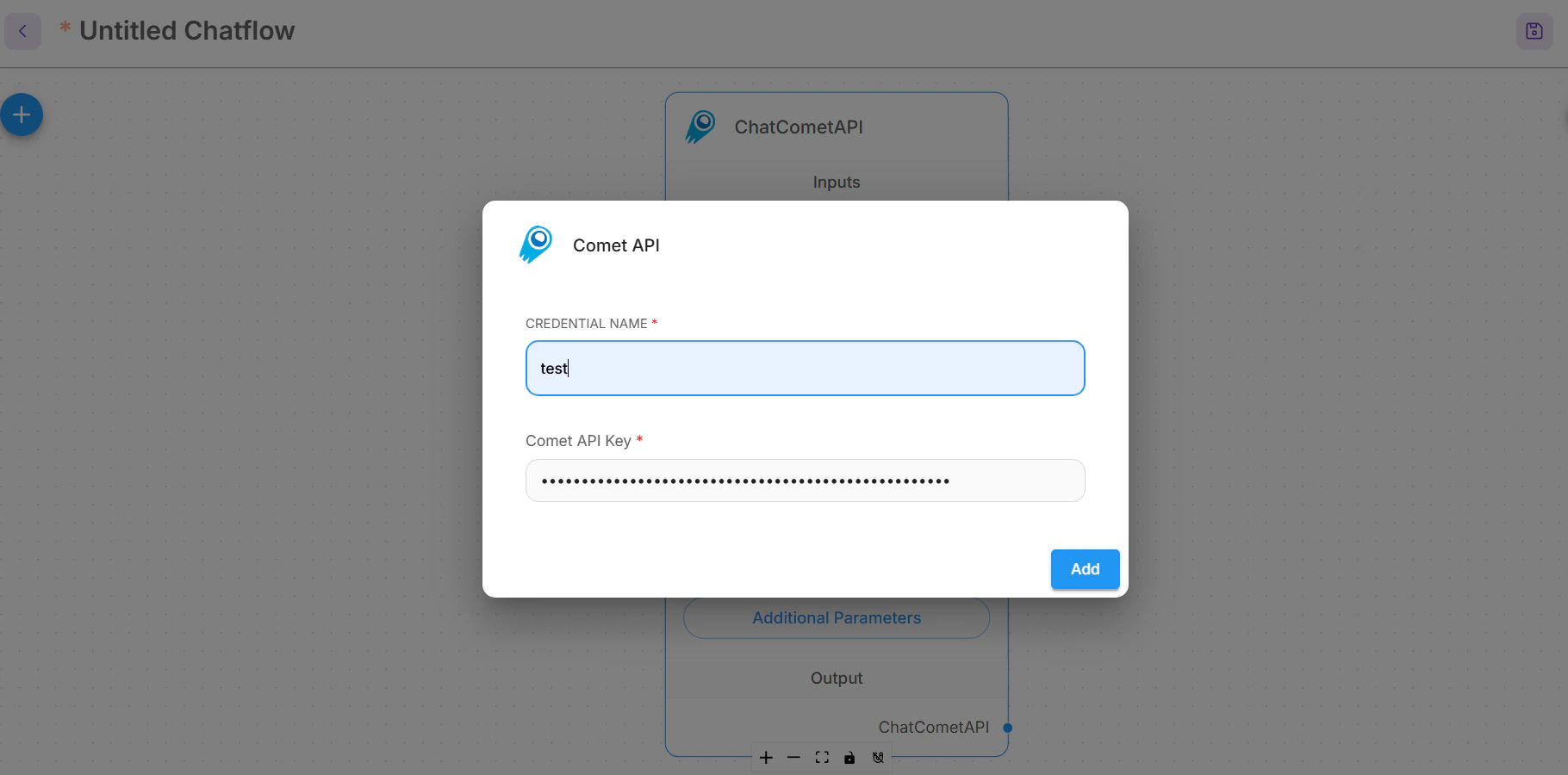
0.7).Build the LLM Chain
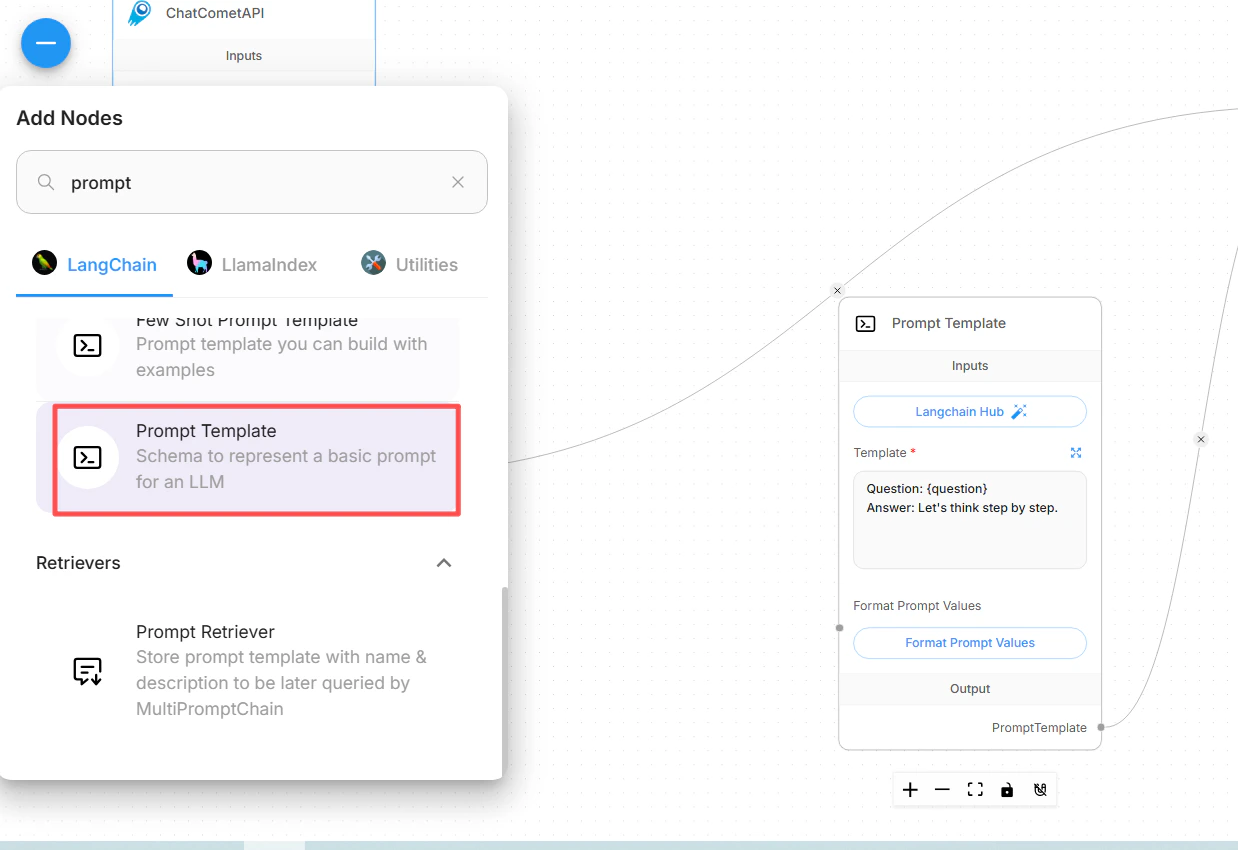
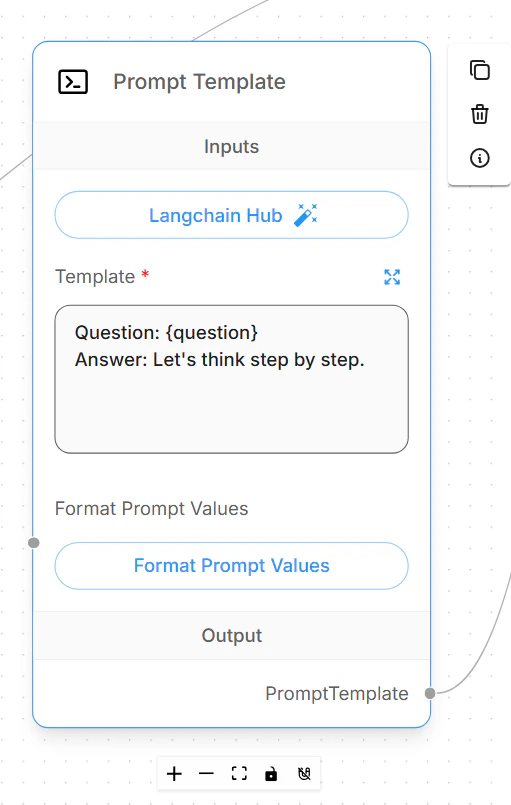
- Add a Prompt Template node (search “Prompt”) and configure a template, e.g.:
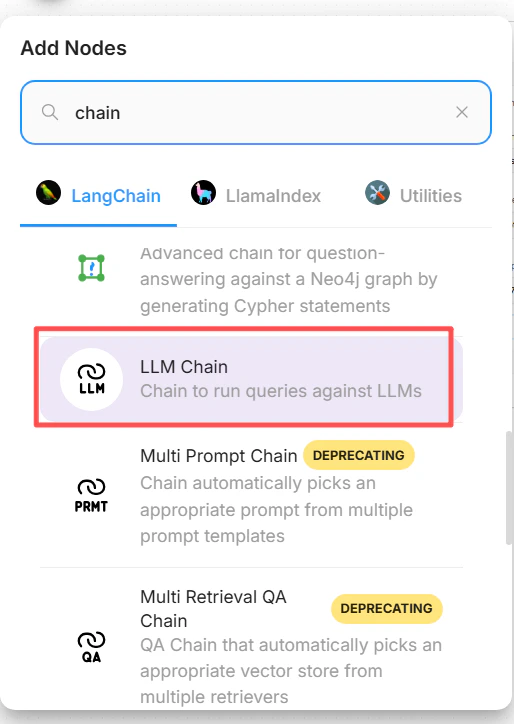
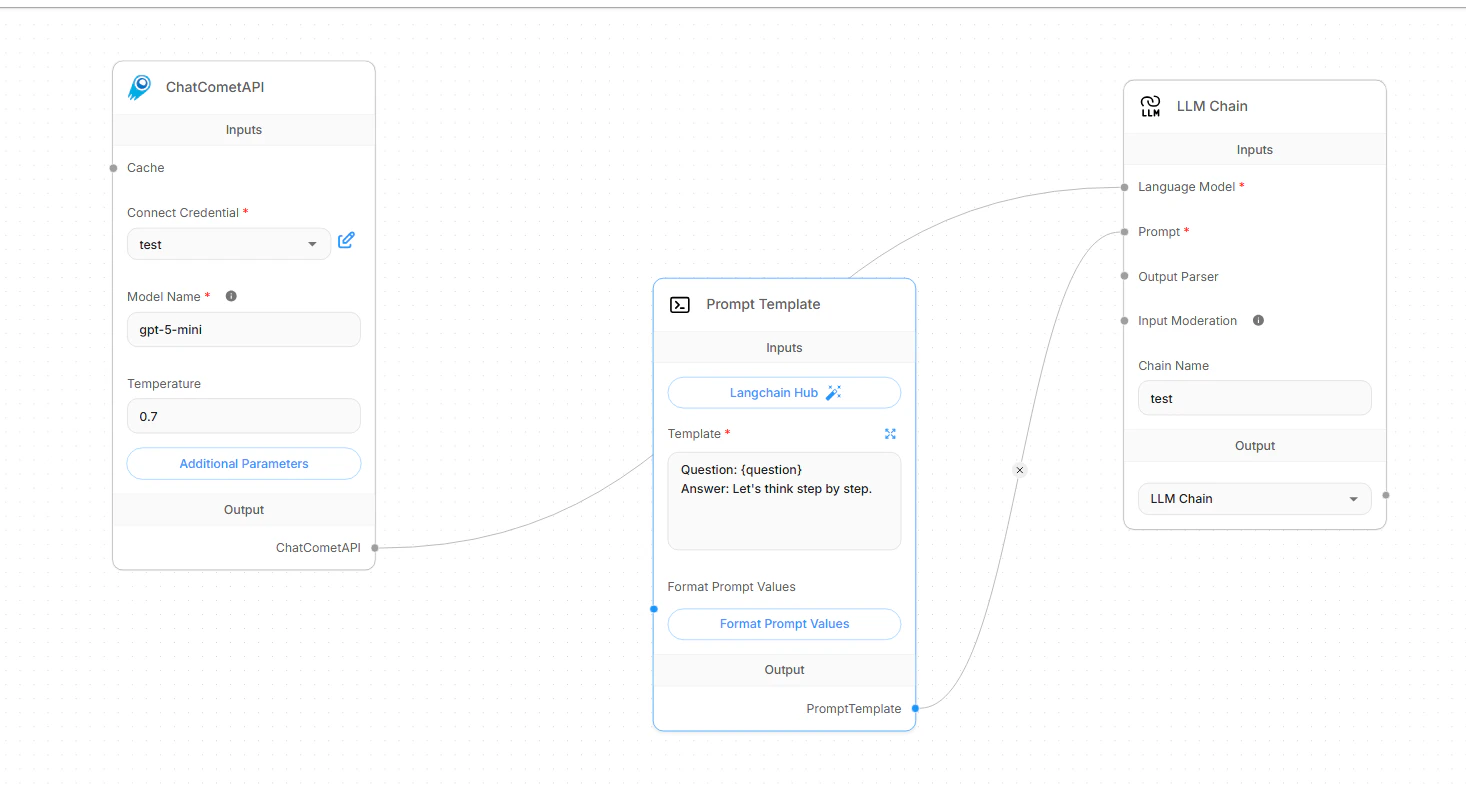
- Add an LLM Chain node (search “Chain”). Connect:
- Language Model input ← ChatCometAPI node
- Prompt input ← Prompt Template node
- Give the chain a name, e.g.
Universal Chat Assistant.
Troubleshooting
Troubleshooting
- Cannot find the “cometapi” node — ensure your FlowiseAI version supports this integration. Check for updates or relevant plugins.
- Credential configuration failed — verify the API key is correct and has not expired. Copy it fresh from the CometAPI console.
- Node connection error — confirm the connection lines point to the correct inputs (Language Model and Prompt). If the response quality is poor, adjust the Prompt Template or lower the Temperature value.