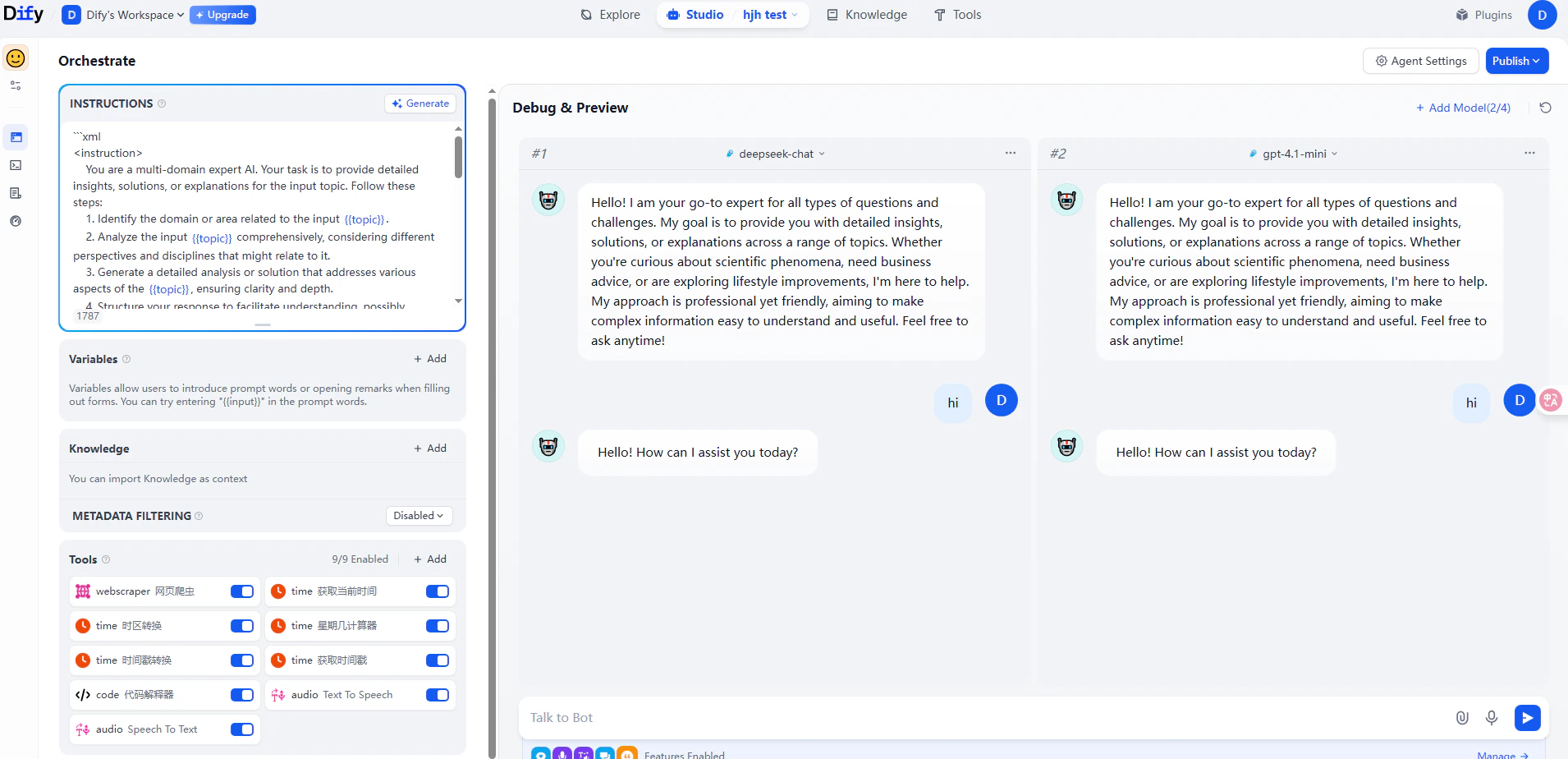
Dify is an open-source LLM application development platform. By connecting it to CometAPI, you can use current CometAPI model IDs inside Dify’s workflow, chatbot, and agent builders.

Prerequisites

The easiest way to connect. Dify Marketplace provides an official CometAPI plugin that handles the integration automatically.
1

Get your CometAPI API key

Log in to the CometAPI dashboard. Click Add API Key and copy your key.
CometAPI dashboard showing the Add API Key button and key list
CometAPI API key details showing the base URL https://api.cometapi.com
2

Install the CometAPI plugin in Dify

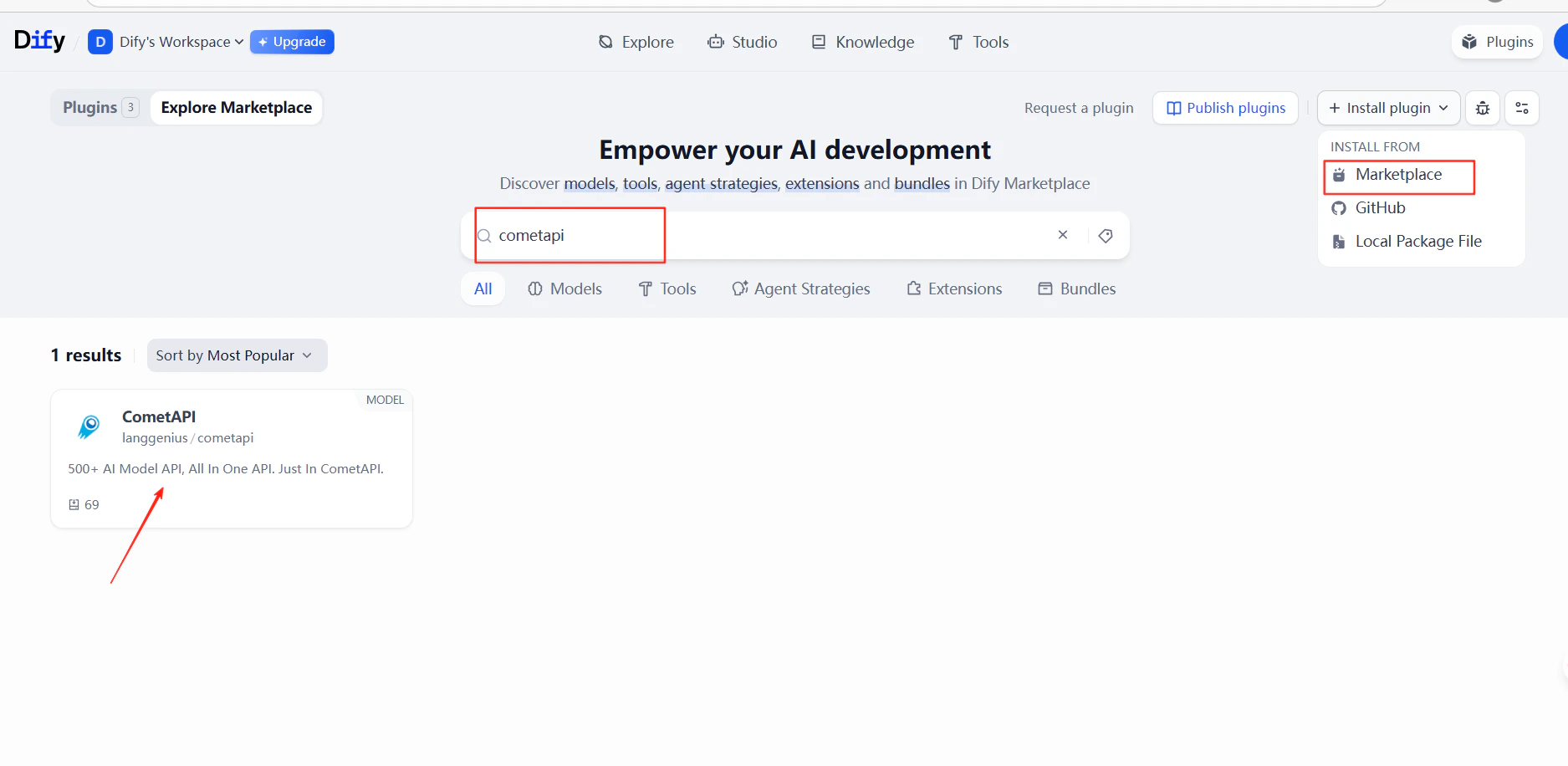
In Dify, go to PluginsInstall PluginMarketplace. Search for cometapi and install it.
Dify plugin marketplace search results showing the CometAPI plugin
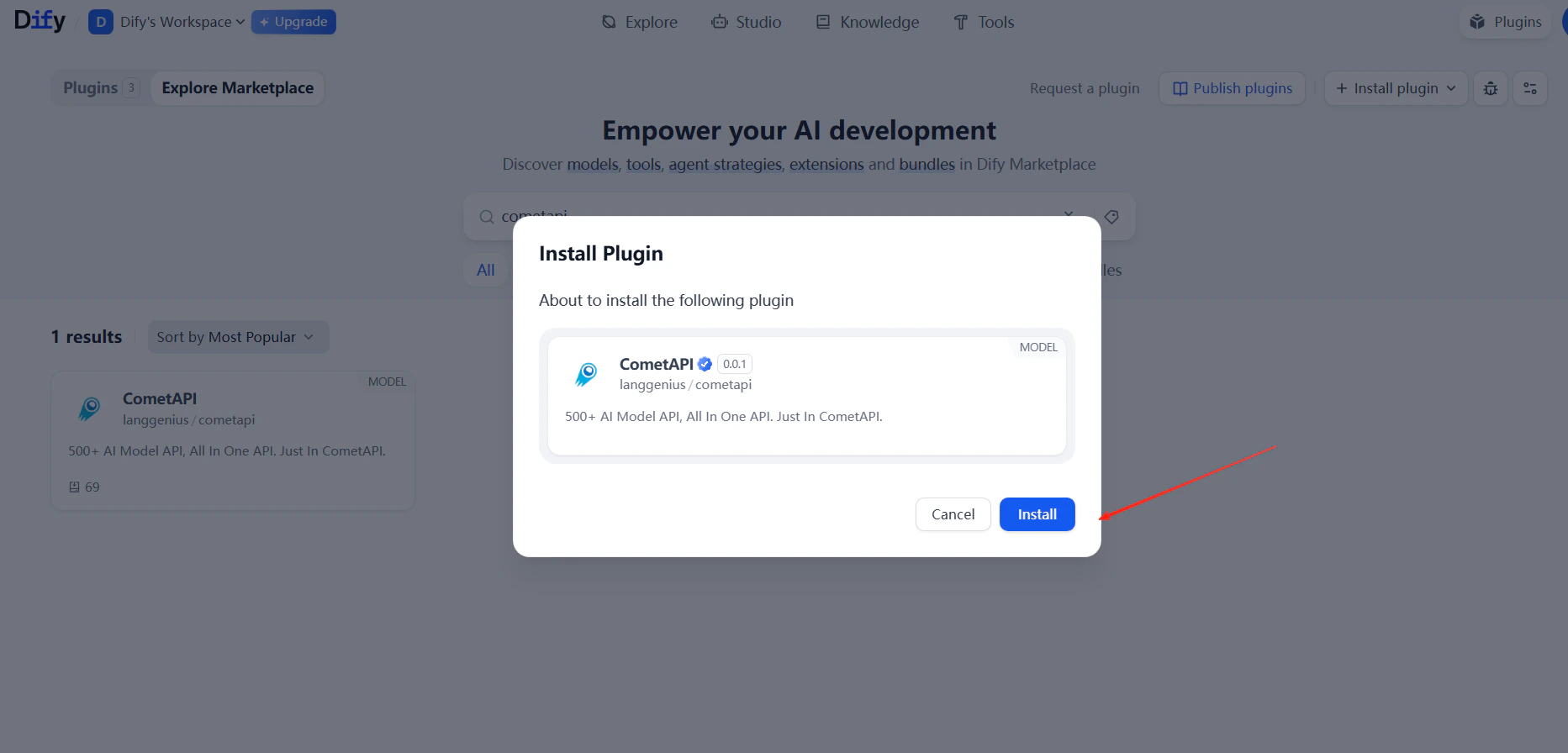
CometAPI plugin installation confirmation dialog in Dify
3

Add your API key

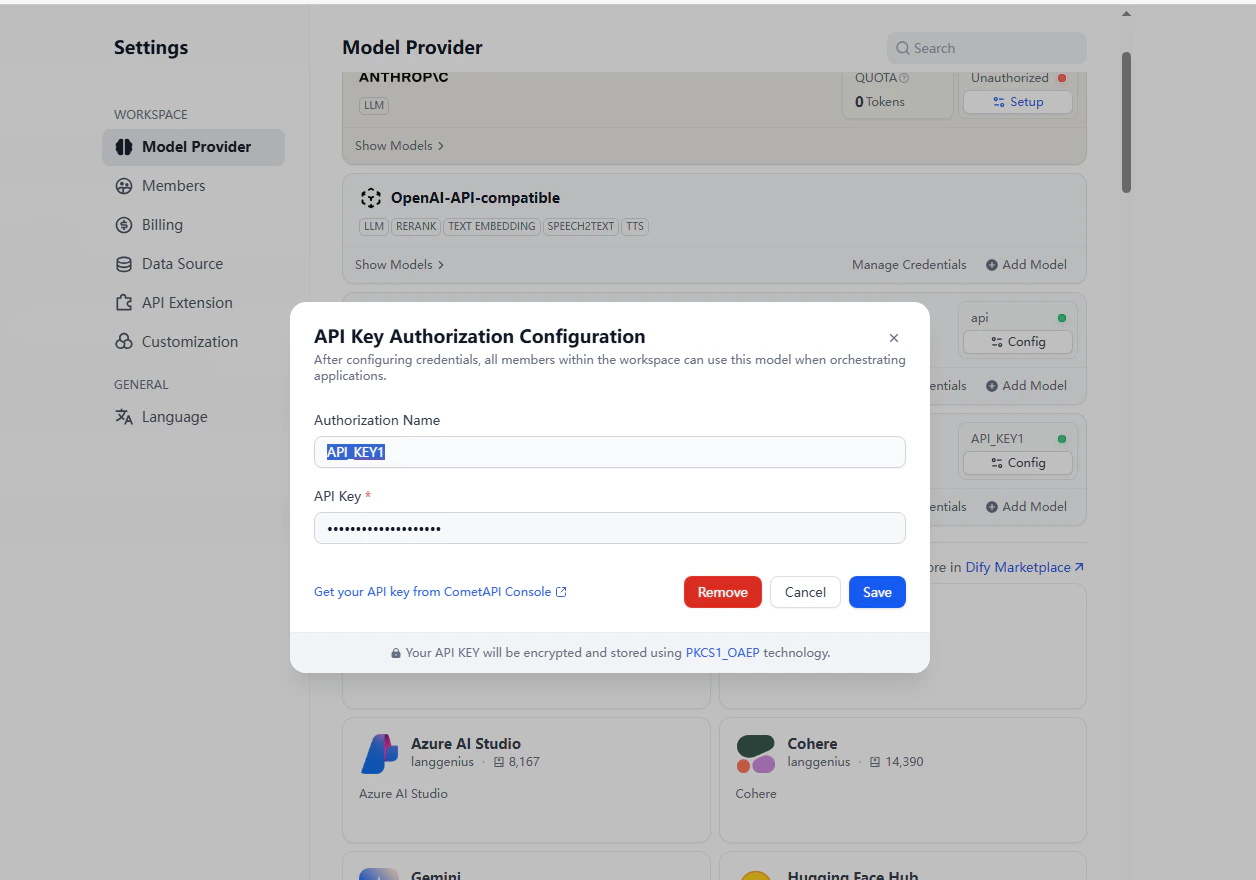
Go to SettingsModel ProviderCometAPIOpen Settings. Paste your CometAPI API key and click Save.
4

Add models

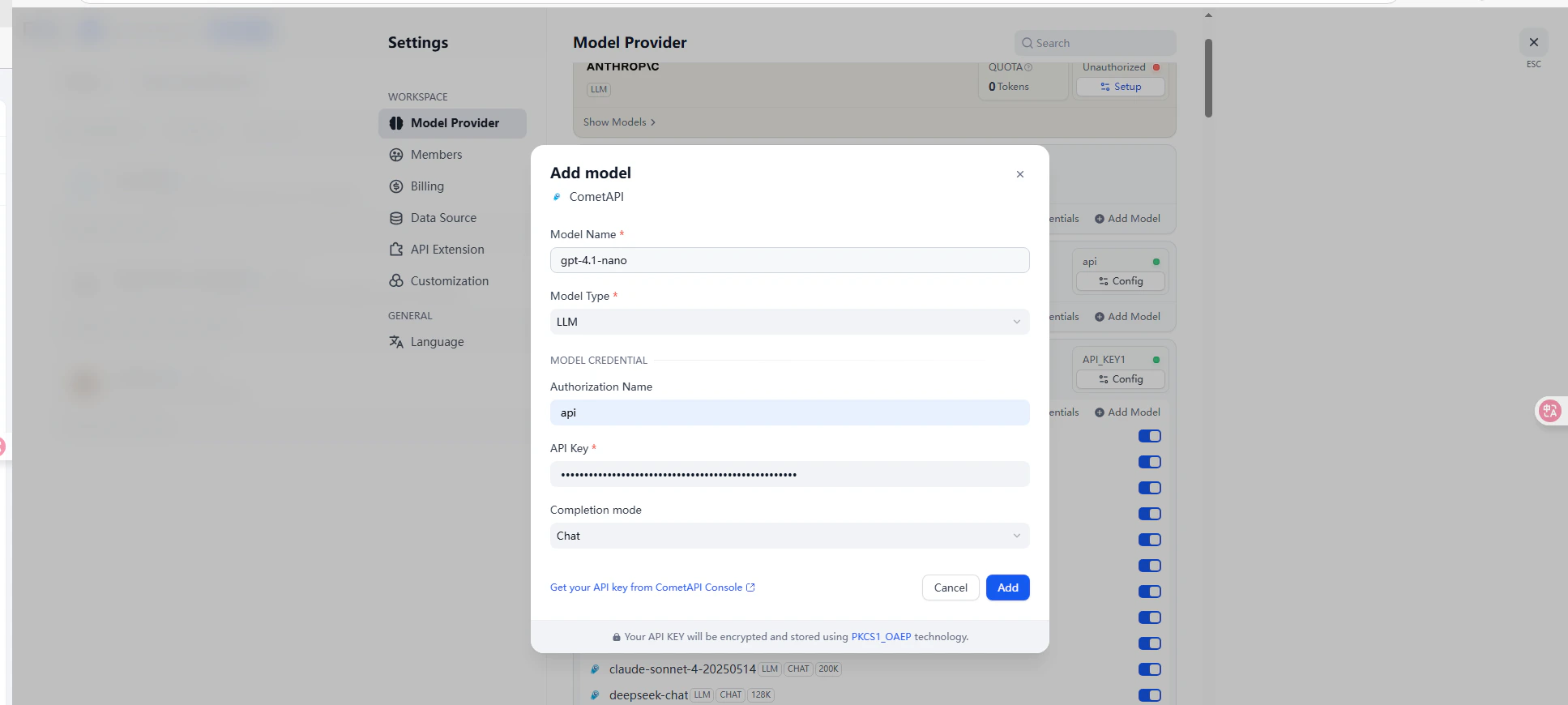
Enter a current model name from the CometAPI Models page and click Add.
Dify model provider settings showing the CometAPI configuration form
Dify model list with CometAPI models successfully added
5

Test the connection

Create a chatbot or workflow and select a CometAPI model. Send a test message — a successful response confirms the integration is working.
Dify chat interface showing a successful response from a CometAPI model

Method 2: OpenAI-Compatible Provider

Use this method to add models not covered by the CometAPI plugin, such as Claude, Grok, or Gemini — or to use custom model names.
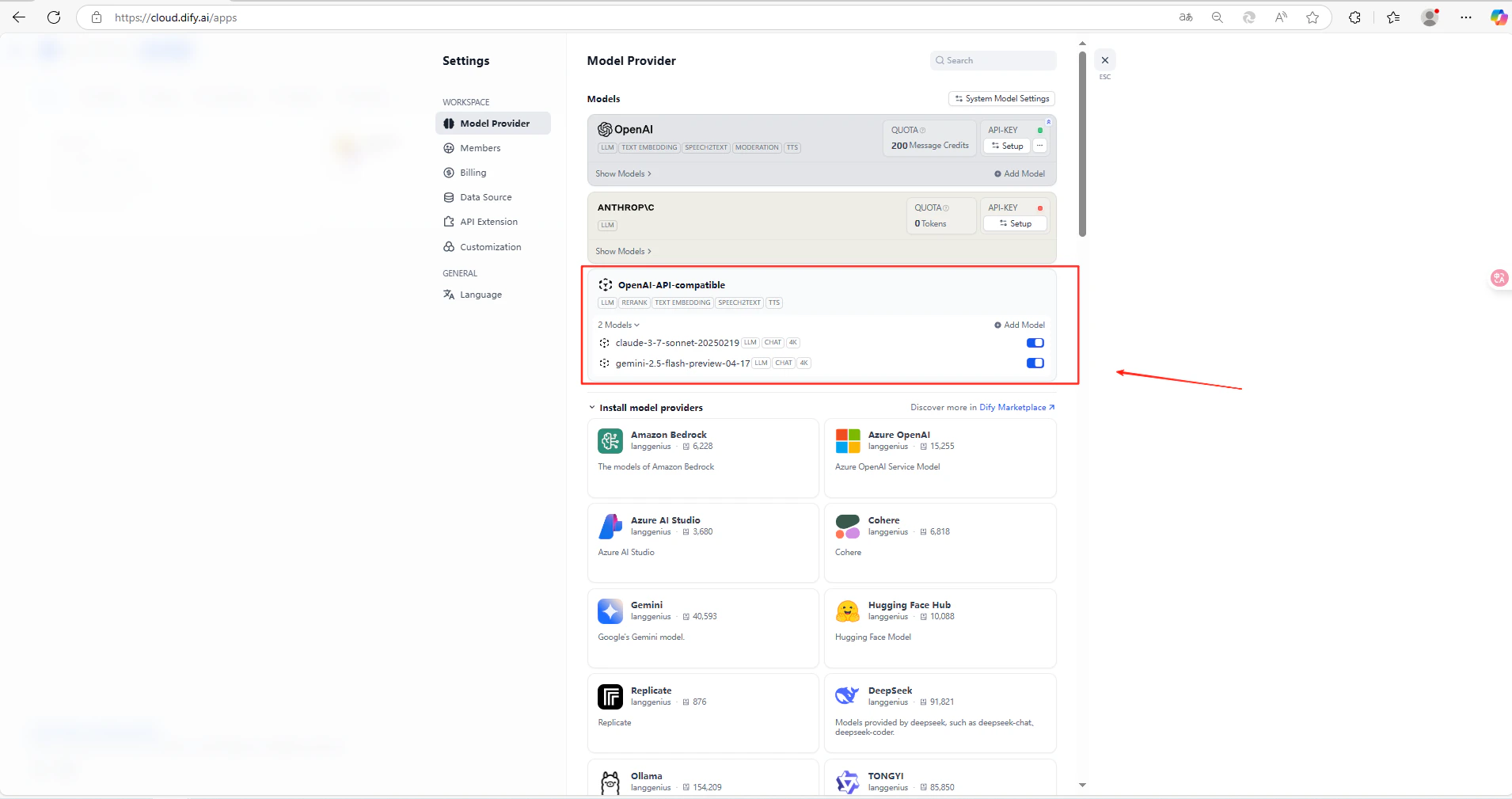
1

Open model provider settings

Go to SettingsModel ProviderOpenAI-API-compatibleAdd Model.
2

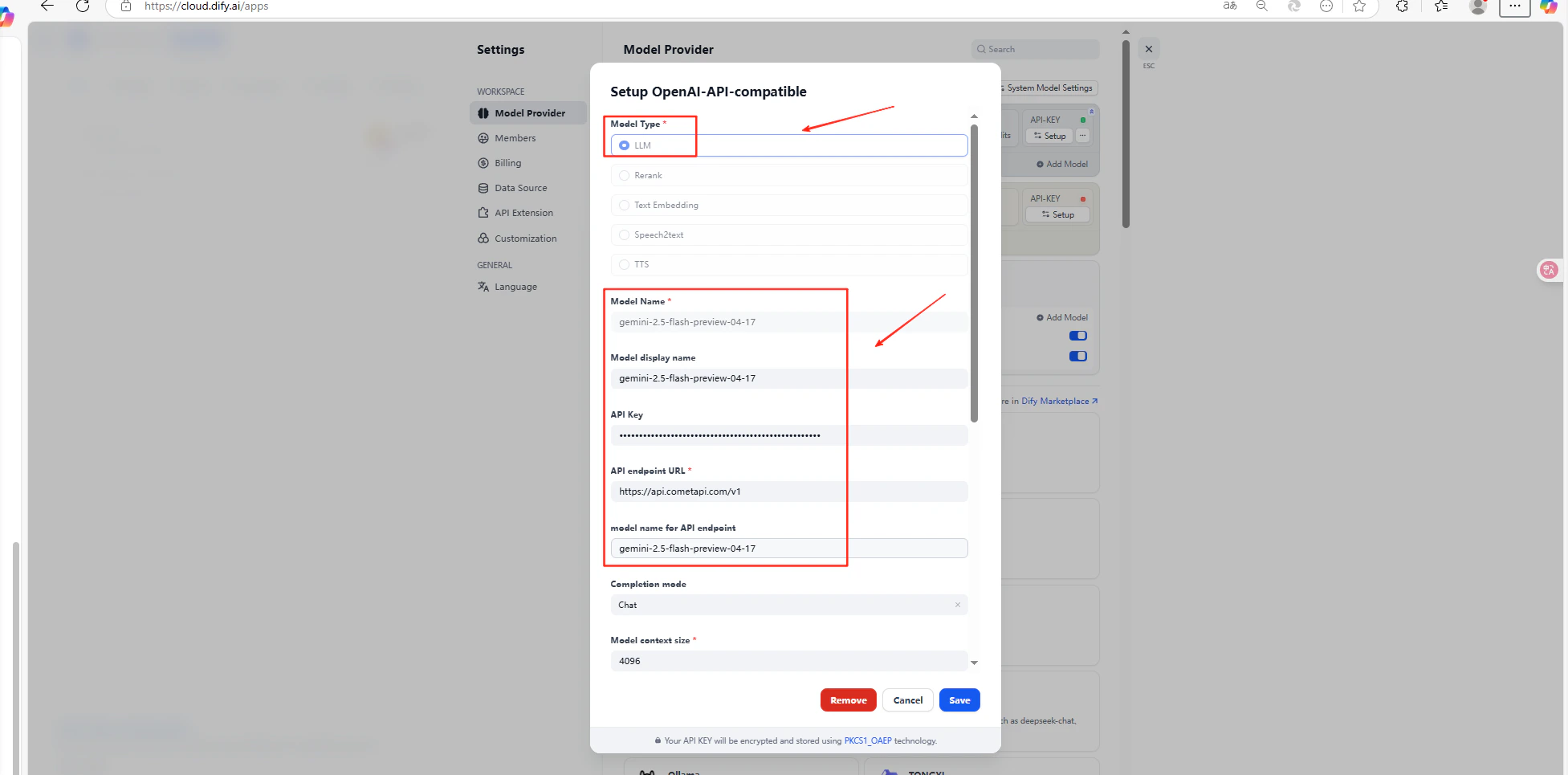
Configure the model

Fill in the following fields:
FieldValue
Model typeLLM
Model nameModel name from CometAPI (must match exactly)
API keyYour CometAPI API key
API endpoint URLhttps://api.cometapi.com/v1
Click Save.
Dify OpenAI-compatible provider form with CometAPI values filled in
Dify model list showing a newly saved CometAPI-compatible model entry
For current model identifiers, refer to the CometAPI Models page. The model name in Dify must exactly match the identifier used in CometAPI.

Troubleshooting

If a call fails, check:
  • The API key is correct and has available balance
  • The model name matches exactly what CometAPI expects
  • The API endpoint URL includes /v1 (required for the OpenAI-compatible method)
For further help, join the CometAPI Discord community.