n8n is a workflow automation tool. Connect it to CometAPI by configuring OpenAI-compatible credentials — all CometAPI models work out of the box.

Prerequisites

  • An n8n account (cloud or self-hosted)
  • A CometAPI account with an active API key
For local/self-hosted n8n with the CometAPI community node, see the n8n Local Deployment guide.

Setup

1

Get your CometAPI API key

Log in to the CometAPI dashboard. Click Add API Key and copy your key and base URL (https://api.cometapi.com).

CometAPI dashboard — Add API Key
CometAPI API key and base URL
2

Create an OpenAI credential

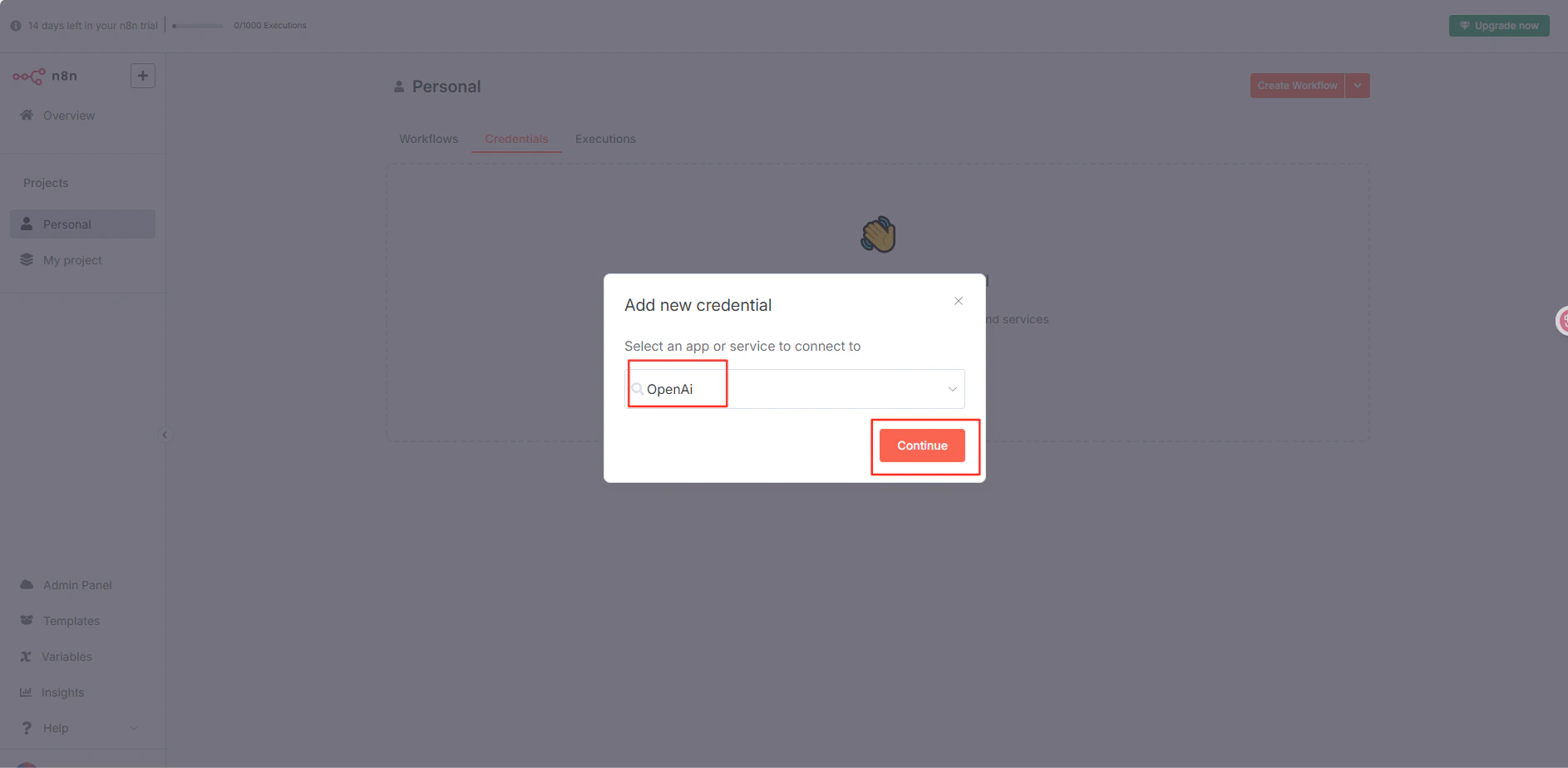
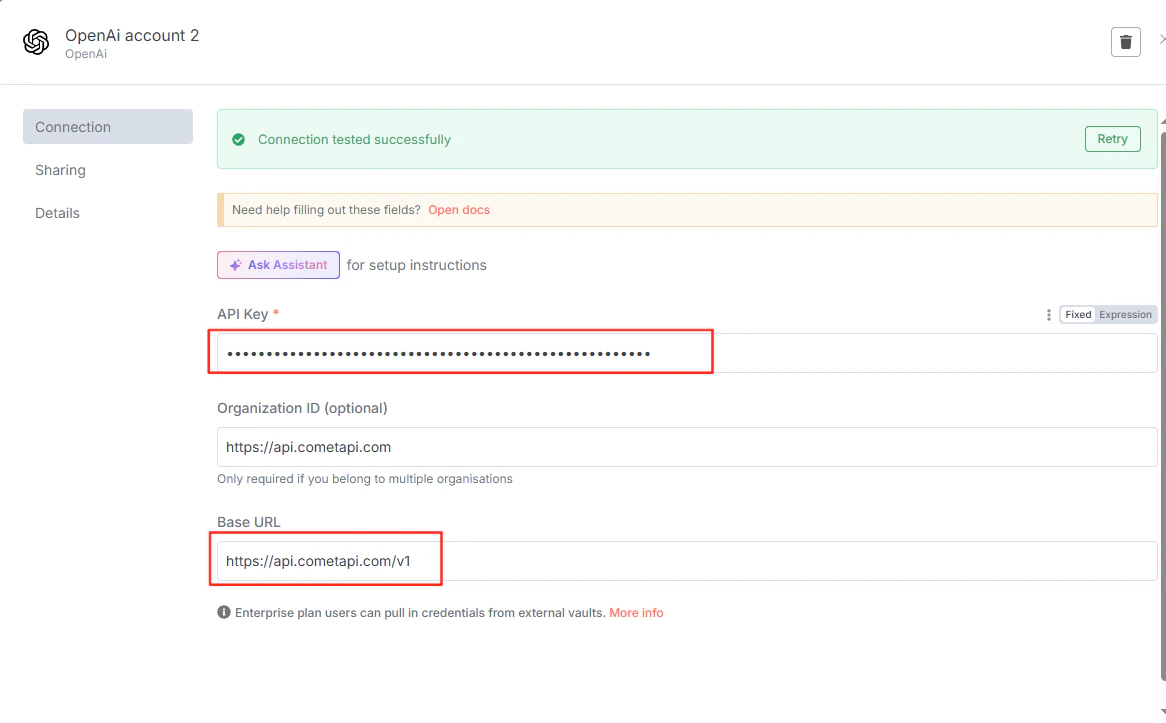
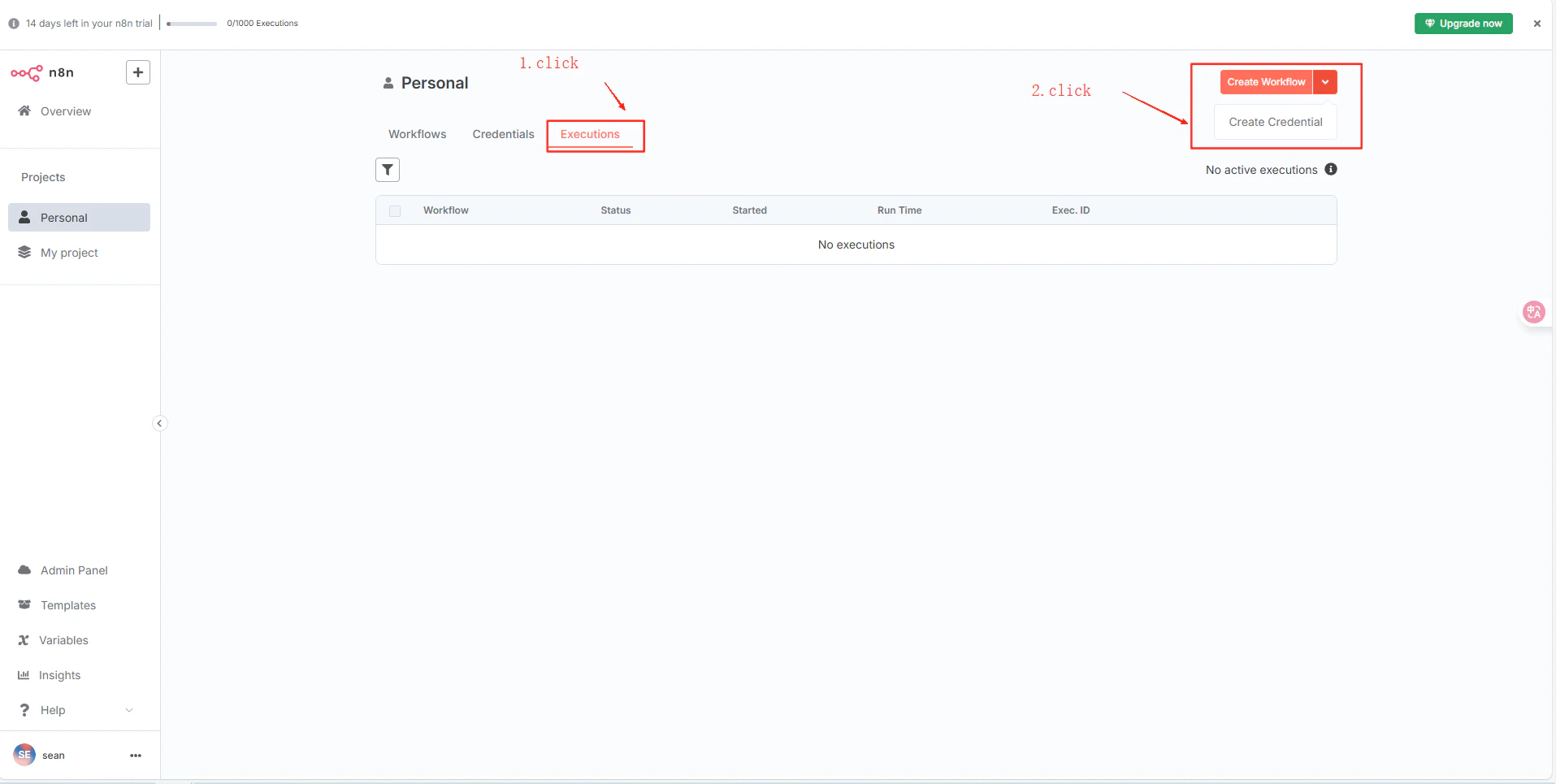
In n8n, navigate to your project → CredentialsCreate CredentialOpenAI API. Paste your CometAPI key into API Key, enter https://api.cometapi.com/v1 in the Base URL field, and click Save.
n8n Create Credential dialog with OpenAI API selected
n8n OpenAI credential form with CometAPI key and base URL filled in
n8n credential saved successfully
3

Test the connection

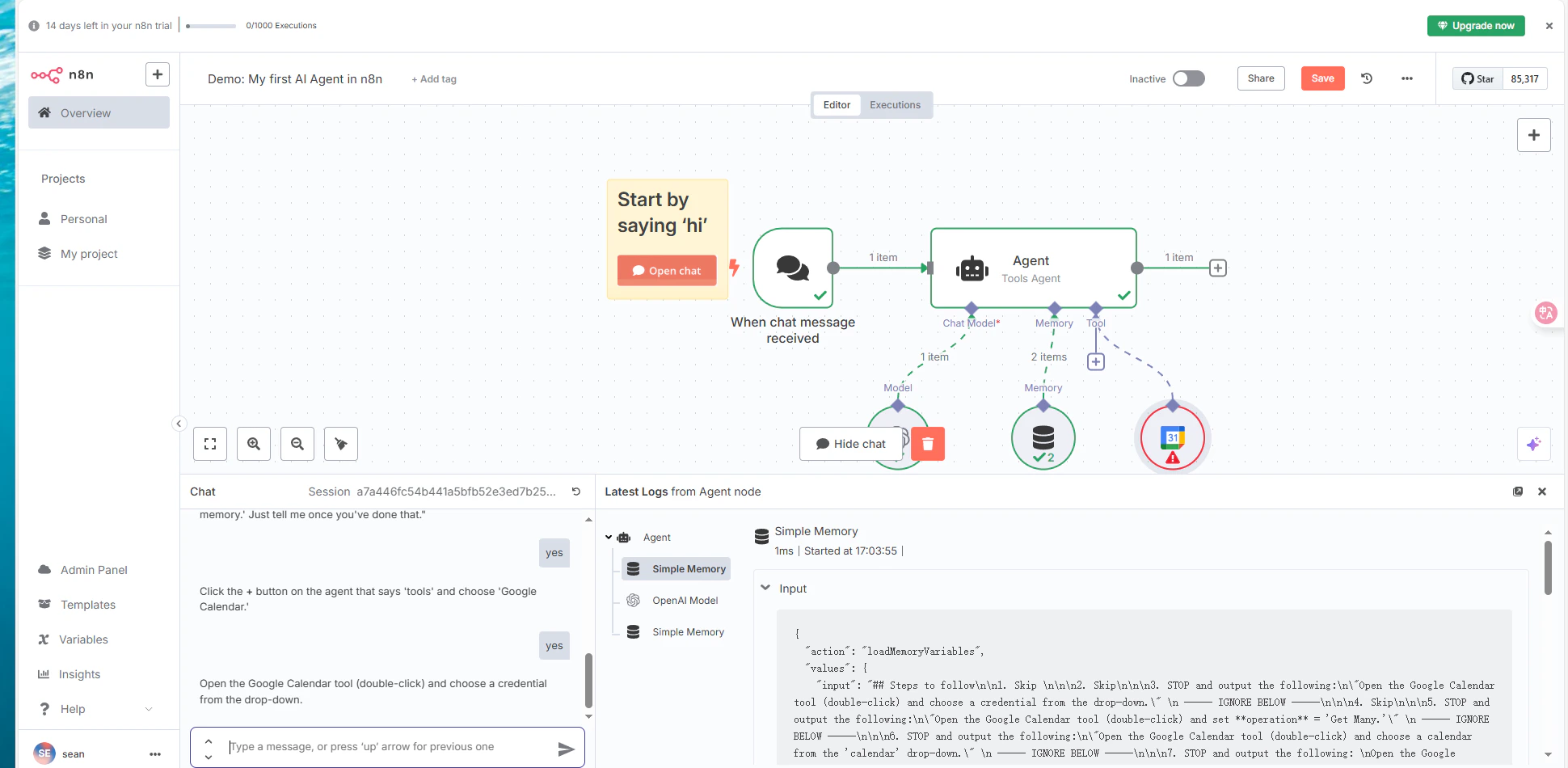
Create a workflow with an OpenAI node using the saved credential and execute it. A successful response confirms the setup is working.
n8n workflow showing a successful response from CometAPI